How to Use AiseeFox PDFNavo for PDF Editing, Commenting and Conversion

Need a clean, capable PDF editor that does more than basic viewing? PDFNavo gives Windows users an efficient workspace for editing PDF content, leaving comments, rearranging pages, converting files and recognizing text from scanned documents.

AiseeFox editorialAiseeFox Editorial ยท Updated Nov 26, 2026
Core Features

What Can You Do with PDFNavo?

Here is a quick look at the main features that make PDFNavo a flexible PDF editor for Windows 11/10.

1

Edit PDF with More Control

PDFNavo goes beyond basic reading by giving you practical editing tools for day-to-day document work. You can add text, edit existing text, insert images, work with forms, apply watermarks and use find-and-replace inside the same editing workspace.

This makes it easier to update contracts, revise reports, tweak forms or personalize PDF documents without moving to another program.
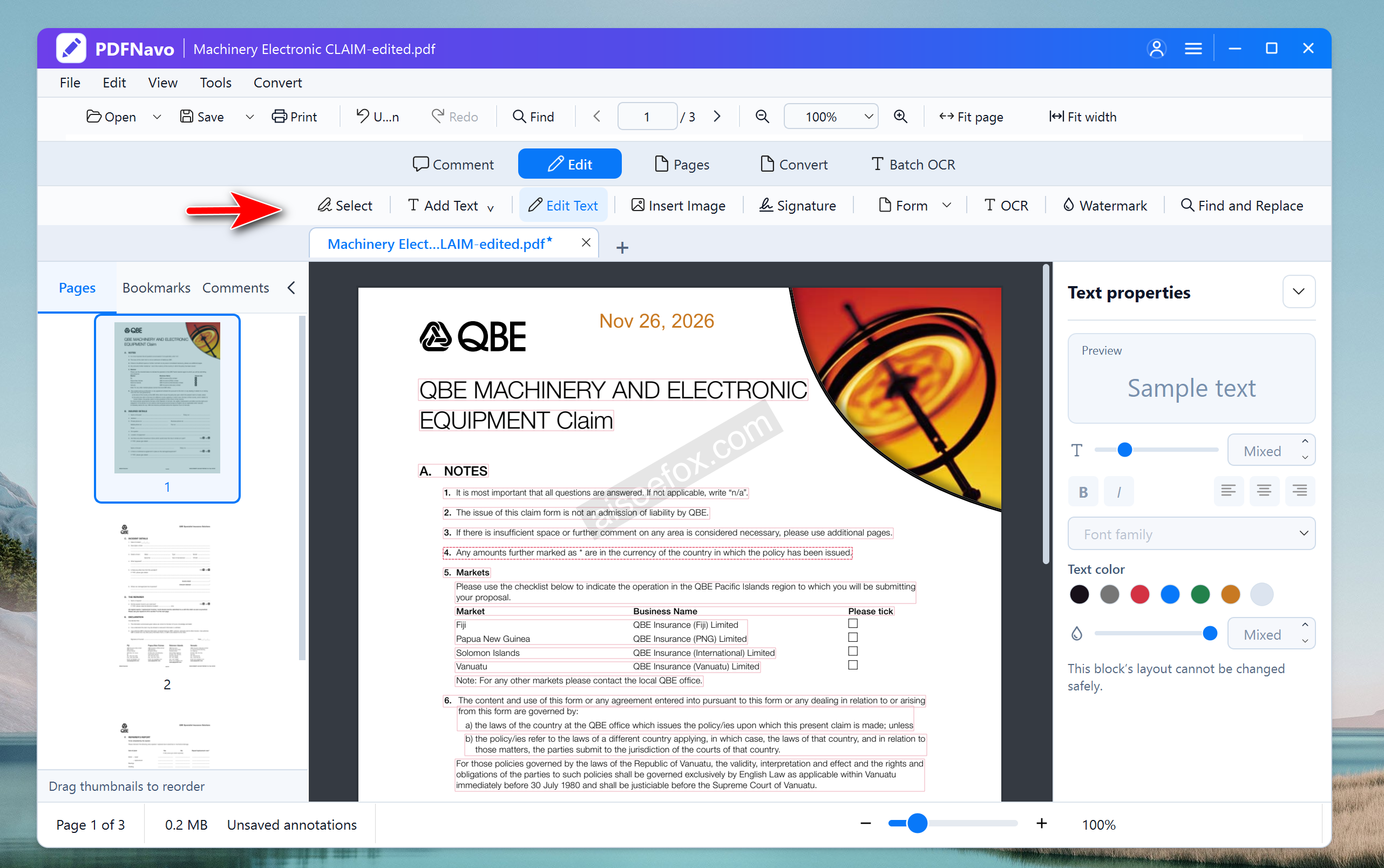
PDFNavo PDF editing tools overview


Add Signatures to Your PDF

The built-in signature tool helps you place a signature directly on your document, which is useful for approvals, forms and internal paperwork. It keeps the signing process fast and convenient inside the editor.
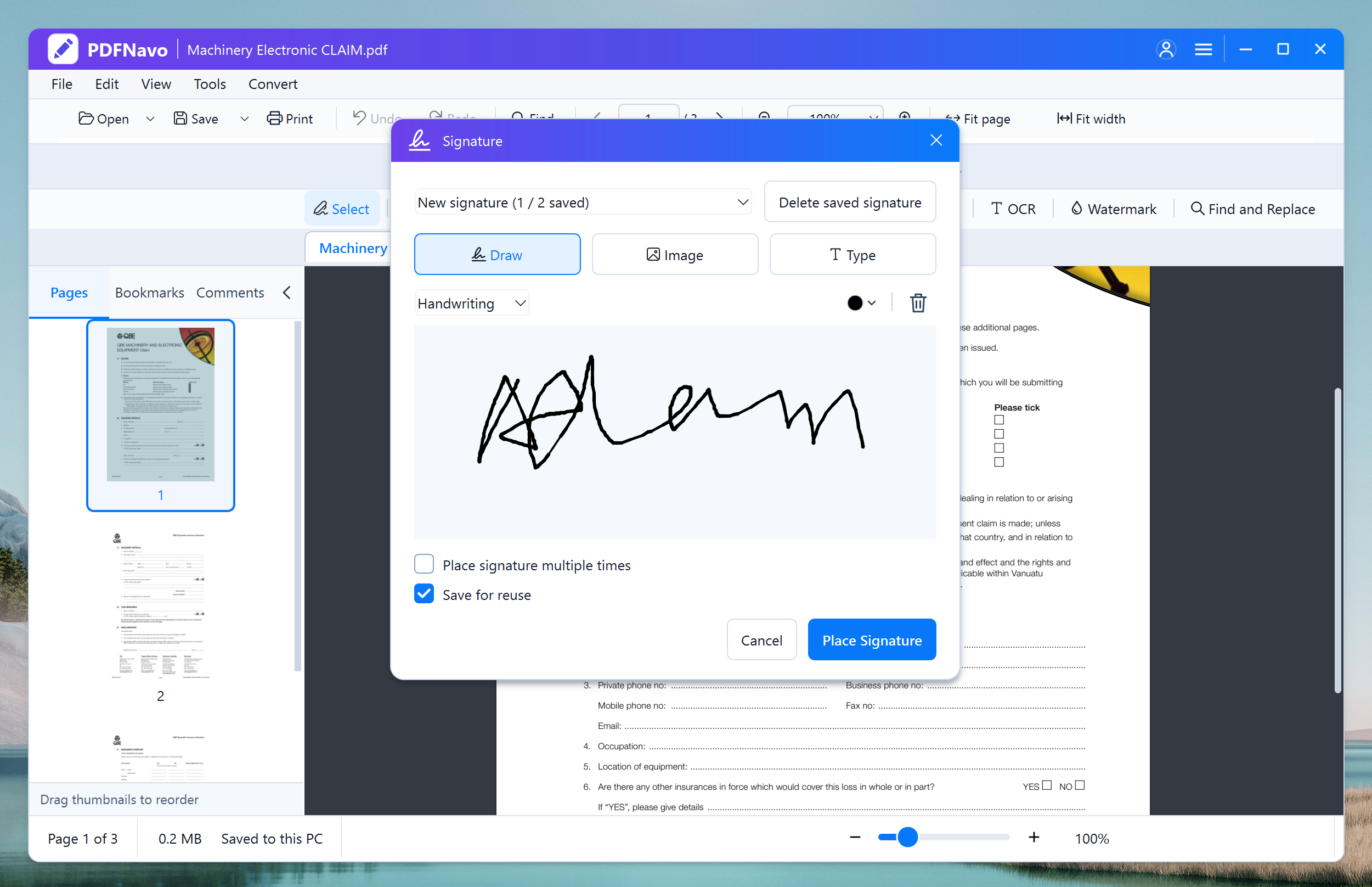
PDFNavo signature feature inside Edit mode


OCR for Scanned PDF Files

For scanned or image-based PDFs, the OCR feature recognizes text and turns the file into a searchable document. This is especially helpful when you want to copy text, search keywords or prepare scanned pages for further editing and conversion.
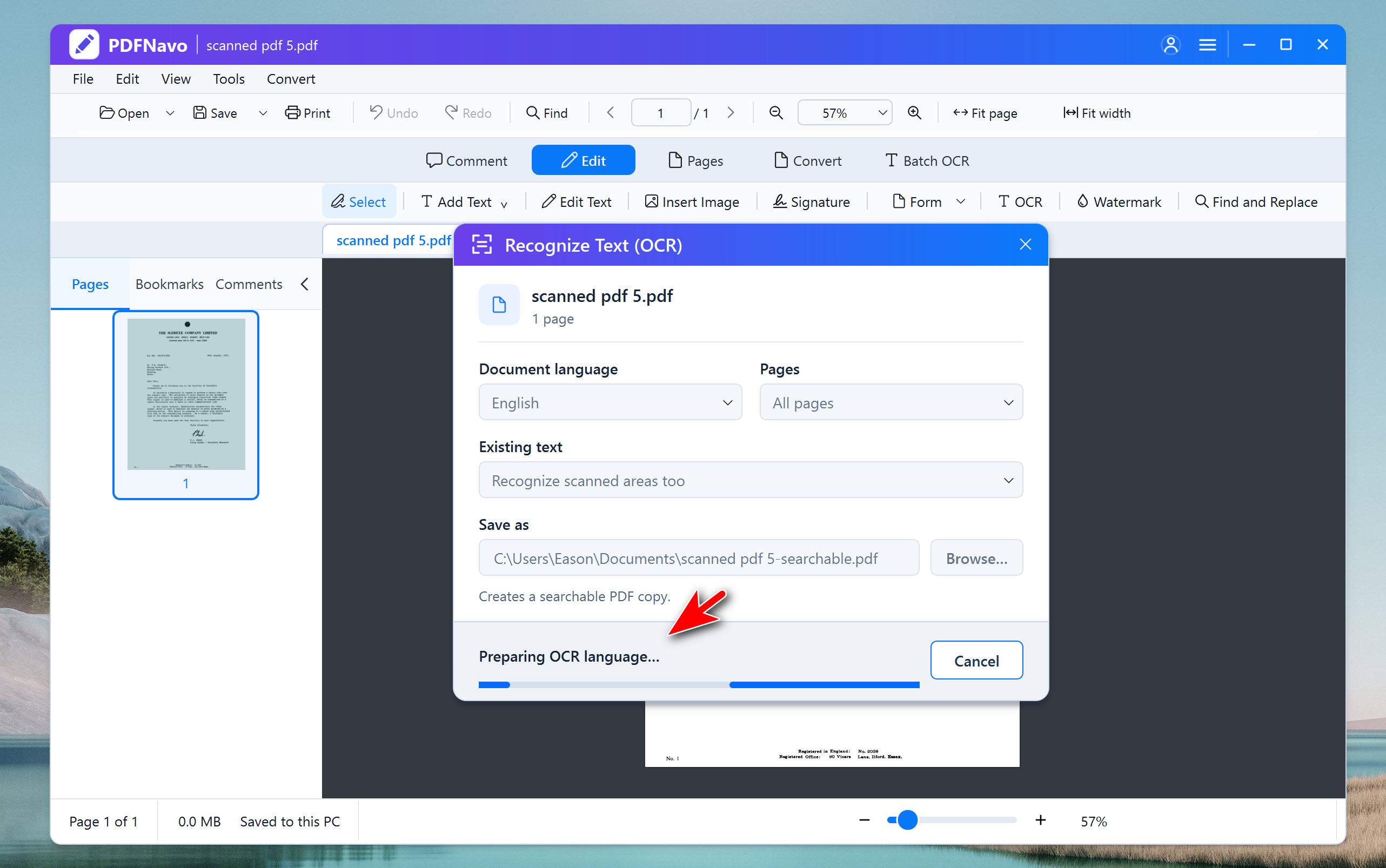
PDFNavo OCR dialog for scanned PDF recognition
2

Comment and Annotate PDFs Clearly

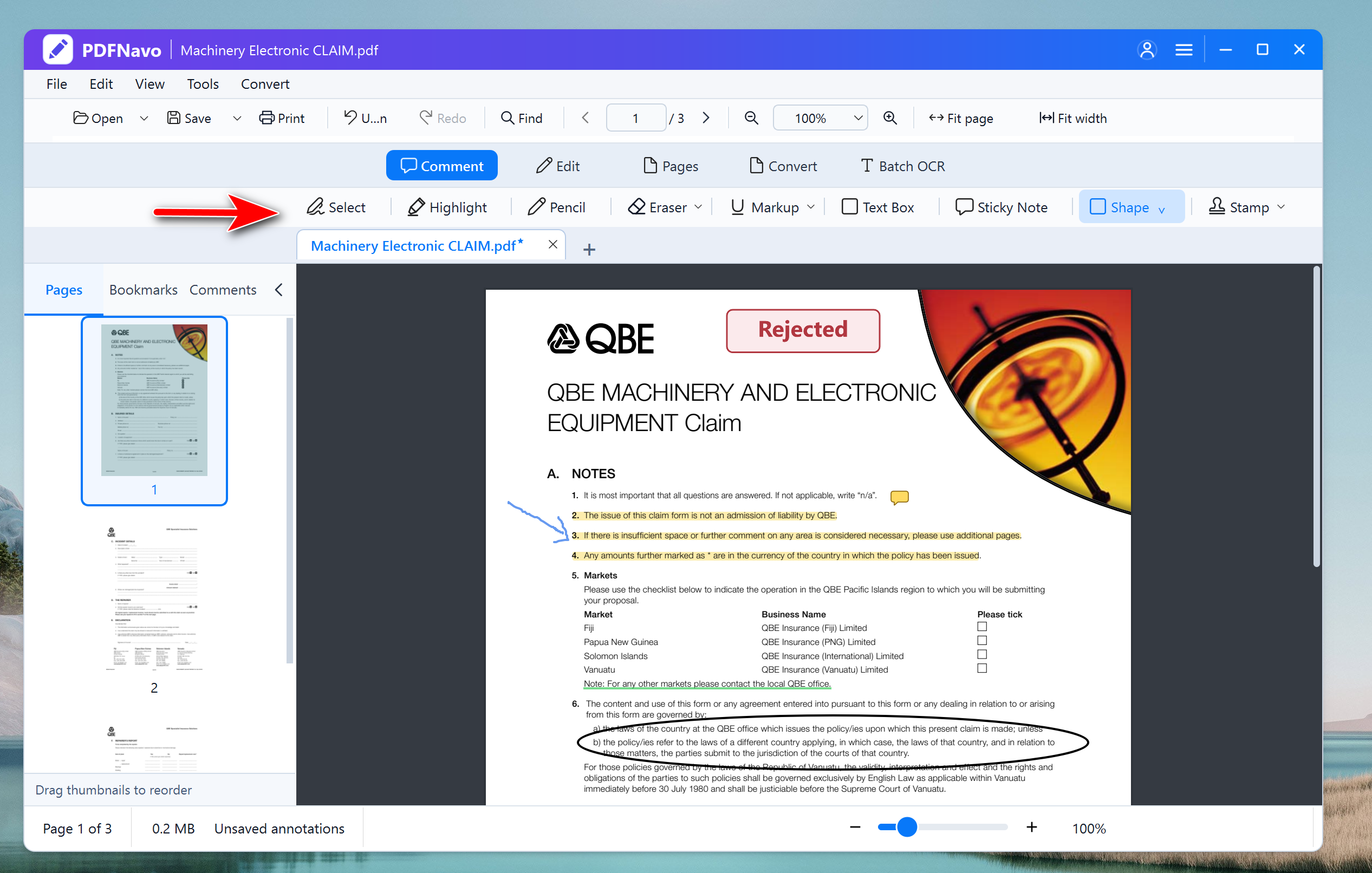
When you need to review documents with other people, PDFNavo provides a focused comment workspace with helpful markup tools. You can highlight key text, draw with a pencil, erase marks, add text boxes, place sticky notes and use shapes to point out specific areas.

This is useful for feedback, revisions, proofreading, academic review and team collaboration on draft documents.

PDFNavo comment and annotation tools
3

Manage PDF Pages Efficiently

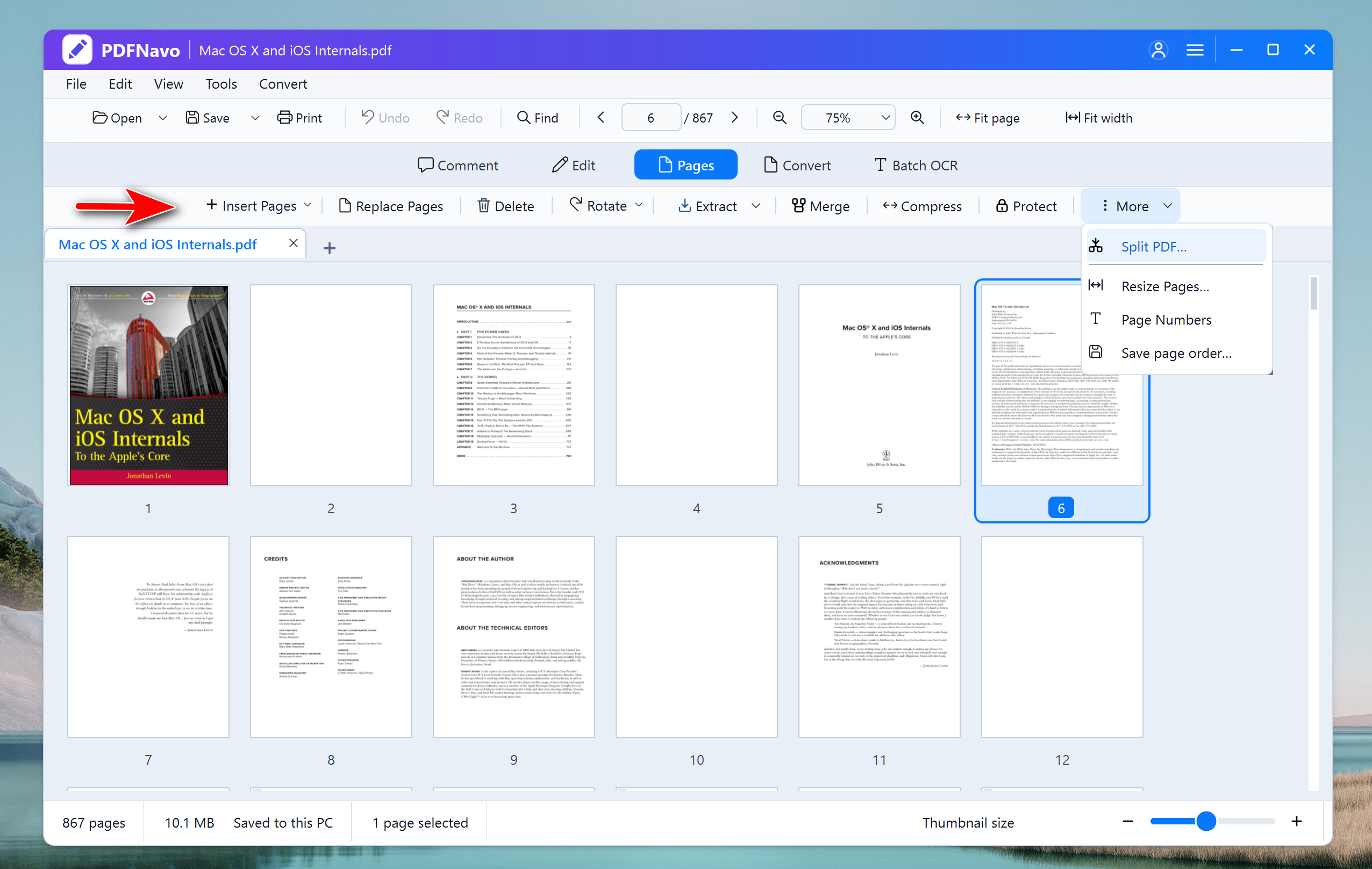
The Pages module helps you organize and restructure your files without unnecessary complexity. From one workspace, you can split PDFs, merge PDFs, resize pages, compress files, protect documents and access more page-level actions like deleting or extracting pages.

These tools are useful when you need to prepare cleaner files for sharing, printing, archiving or submitting online.

PDFNavo page management tools
4

Convert PDFs to Popular Formats

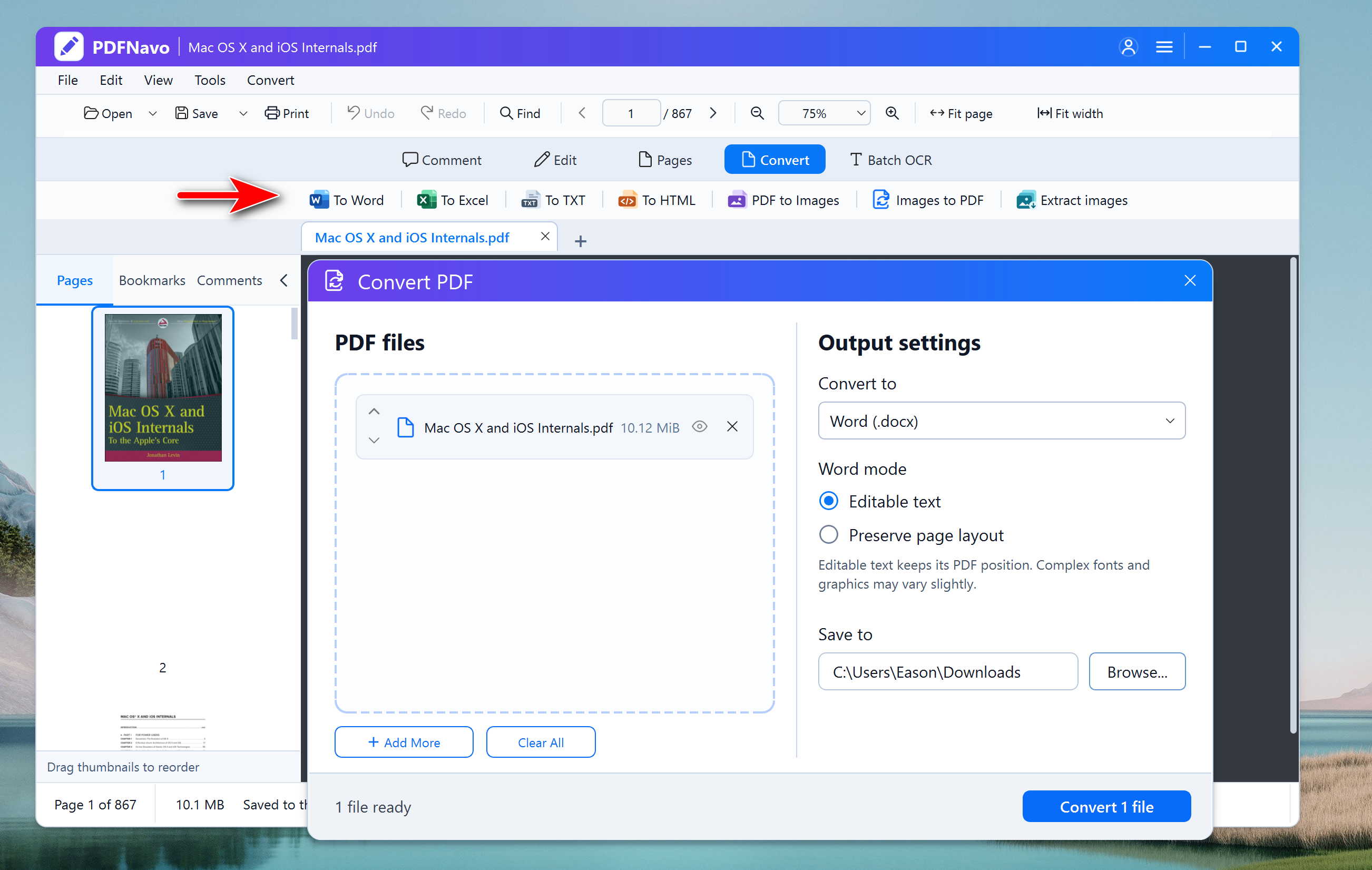
PDFNavo also works as a practical conversion hub. You can convert PDFs to Word, Excel, TXT, HTML and image formats, or extract images from a PDF when you need the visual assets separately.

With multiple conversion choices available from one panel, it becomes easier to reuse PDF content in the format that best fits your next task.

PDFNavo PDF conversion tools
Before you decide

A Compact PDF Editor That Still Covers the Essentials

PDFNavo is designed for people who want a cleaner PDF workflow on Windows 11/10 without giving up useful tools. It combines editing, annotation, page management, conversion and OCR in a single interface, so everyday PDF work feels more direct and less fragmented.

If you need an editor that stays lightweight but still handles practical document tasks, PDFNavo is a strong option to try.

Ready to Try PDFNavo?

Download PDFNavo for Windows or Mac and simplify the way you edit, convert and manage PDFs.

AiseeFox editorial

AiseeFox Editorial

The AiseeFox Editorial team creates practical software guides and product introductions for desktop tools. This page highlights the main PDF editing capabilities available in PDFNavo for Windows 11/10.

๐Ÿ’ฌ Reviews

Rate your experience
โ˜…โ˜…โ˜…โ˜…โ˜…
Replying to
Preview
Loading...