

Image enhancement is one of the most common needs for photographers, content creators, designers, and everyday users. VisioMint solves this problem with AI-powered enhancement that automatically improves lighting, sharpness, color, clarity, and noise levels without requiring professional expertise. In this guide, you’ll learn why VisioMint is the ideal tool for image enhancement and how to use it step-by-step.
Why Use VisioMint for Enhancing Images?
✅ AI Auto-Enhance for Instant Improvements: VisioMint analyzes your image and intelligently applies adjustments to exposure, contrast, color balance, and tonal depth—making photos look vibrant and natural.
✅ One-Click Simplicity: Beginners can use automatic mode, while advanced users can tweak clarity, tone, color intensity, and noise reduction manually.
How to Enhance Images with VisioMint AI Photo Editor
Enhancing images with VisioMint is super easy and it can be done very quickly. You don’t need any specific knowledge to get it done. Here is a step by step guide you can check out.
Step 1: Download and Install VisioMint
VisioMint is a desktop app. You need to download and install the app on your PC or Mac first.

Step 2: Add Your Image and Choose the Enhance Tool
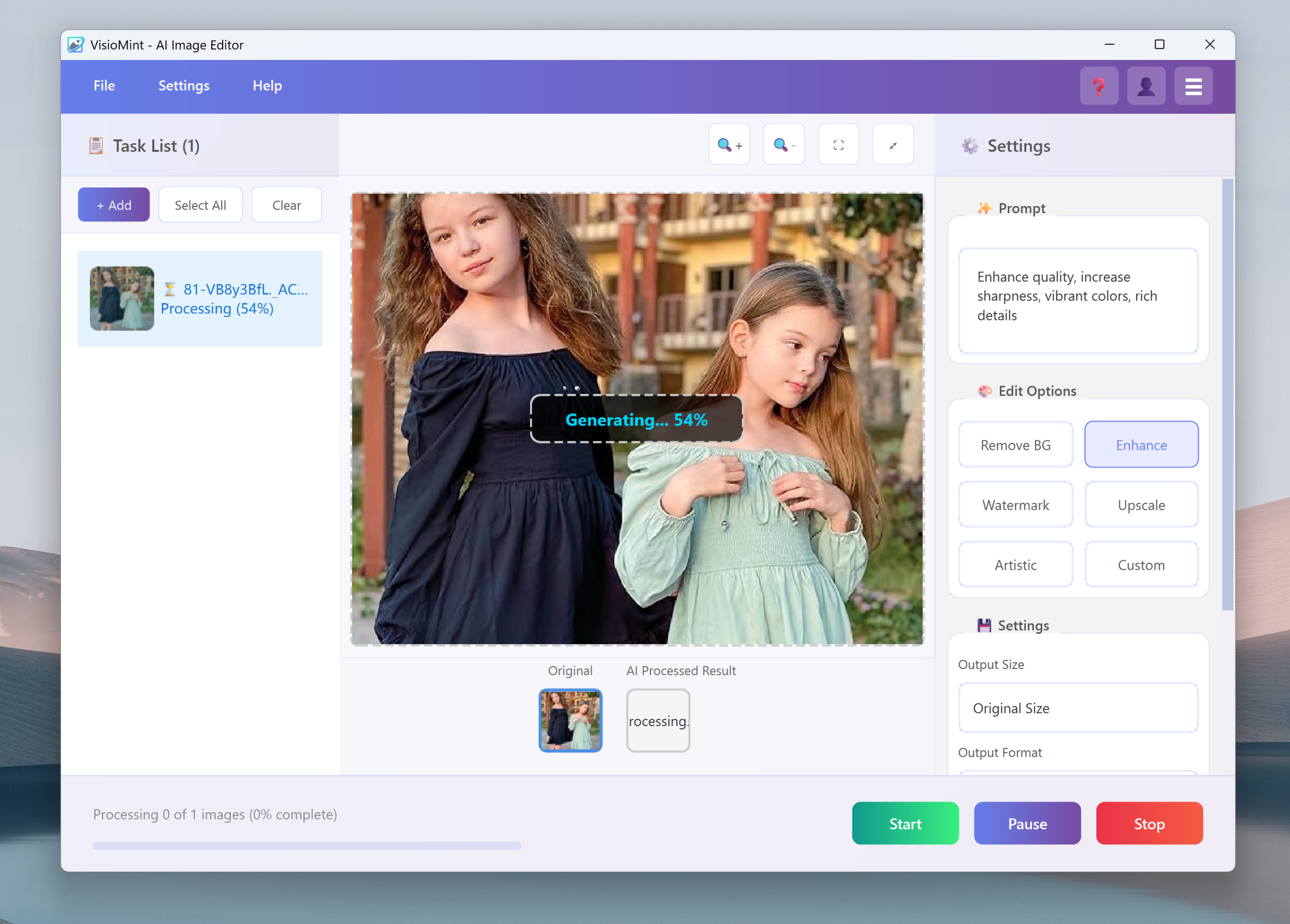
Launch the VisioMint app. Then, click the “Add” button at the left upper corner to import the images.
On the left sidebar, click the “Enhance ” option. This opens the AI super-resolution workspace.
Step 3: Custom Settings
Before the editing task starts, you have to complete a couple of settings under the Settings section. Please choose an output image size, the output format, the save path and adjust the image quality.
Step 4: Start the Upscaling Image
Now, click the “Start” button to let the built-in AI engine enhance the image automatically based on the option or prompt you have set. Usually, it only takes a few seconds to process one image.


The Bottom Line
Enhancing images doesn’t need to be complicated or time-consuming. With VisioMint’s AI-driven enhancement tools, anyone can turn dull or low-quality photos into vibrant, sharp, and eye-catching visuals in just a few clicks. Whether you’re refining personal photos or optimizing images for professional use, VisioMint offers the perfect balance of simplicity, speed, and high-quality results.