

Text or watermarks can instantly ruin an otherwise perfect photo. But it is not a simple job to get the text removed with traditional tools. This is where VisioMint steps in. Instead of hours of manual editing, the app uses AI to fill the missing area with natural-looking details that blend seamlessly.
No Photoshop skills required, no complicated layers and just clean results.
Why Use VisioMint for Text Removal?
✅ AI-Powered Engine: VisioMint doesn’t just blur the text; it reconstructs textures, edges, shadows, and patterns so the edited area looks like it was never touched.
✅ Fast and User Friendly: You don’t need retouching experience. Just mark the unwanted area, click a button, and let the AI rebuild the missing pixels intelligently.
How to Remove Text from Images in Bulk with VisioMint
Removing text from image with VisioMint is super easy and it can be done very quickly. You don’t need any specific knowledge to get it done. Here is a step by step guide you can check out.
Step 1: Download and Install VisioMint
VisioMint is a desktop app. You need to download and install the app on your PC or Mac first.

Step 2: Add Your Image and Choose the Enhance Tool
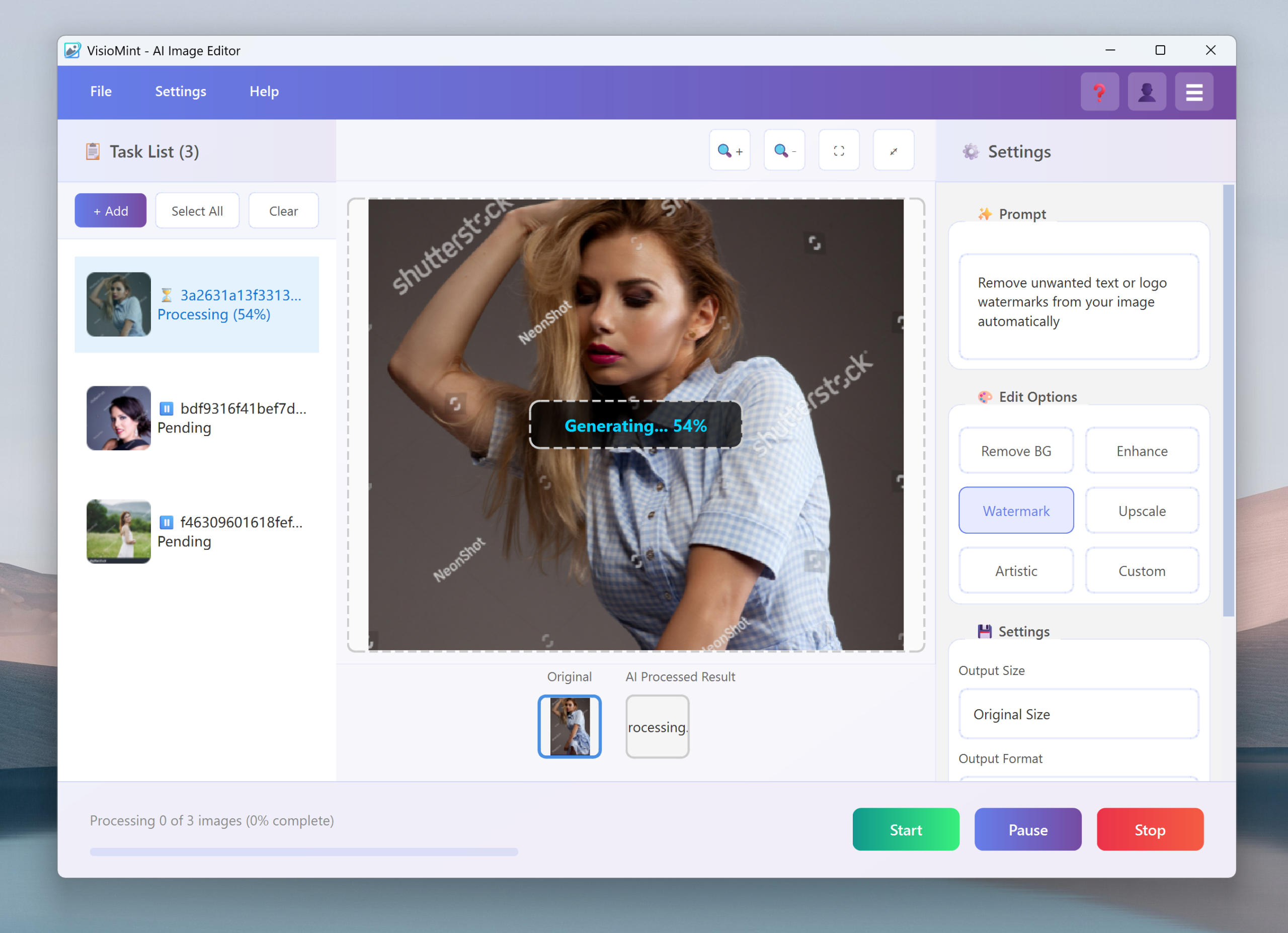
Launch the VisioMint app. Then, click the “Add” button at the left upper corner to import the images.
On the left sidebar, click the “Watermark ” option. This opens the AI super-resolution workspace.
Step 3: Custom Settings
Before the editing task starts, you have to complete a couple of settings under the Settings section. Please choose an output image size, the output format, the save path and adjust the image quality.
Step 4: Start Removing Text from Image
Now, click the “Start” button to let the built-in AI engine remove text or watermarks from the image automatically based on the option or prompt you have set. Usually, it only takes a few seconds to process one image.




The Bottom Line
Removing text used to be one of the most frustrating editing tasks—slow, tedious, and often imperfect. VisioMint changes that with its advanced AI inpainting engine, replacing text or logos with natural textures that look authentic. Whether you’re cleaning up your own archived photos or preparing images for a project, VisioMint makes the process effortless and reliable.