

The Recycle Bin on Windows 11 is designed as a temporary storage area for deleted files. When a file is deleted, it is not immediately erased from the hard drive. Instead, Windows simply removes the file reference from the file system and moves it to the Recycle Bin so it can be restored if needed. Even after you click “Empty Recycle Bin,” the data itself usually remains on the disk until it is overwritten by new data.
This behavior means that files removed from the Recycle Bin can often be recovered using professional data recovery tools. For users who plan to sell a computer, donate a device, or permanently remove sensitive documents, simply emptying the Recycle Bin is not secure enough. A more reliable method is required to completely destroy the data and prevent any possibility of recovery.
Why It Is Not Safe to Manually Clear the Recycle Bin
There are several risks associated with manually clearing the Recycle Bin:
1. Deleted Files Are Still Recoverable
Data recovery software can scan the disk for file signatures and rebuild deleted files even after the Recycle Bin has been emptied. Tools like recovery utilities can easily restore documents, photos, and videos that users thought were permanently removed.
2. Sensitive Information May Be Exposed
Old files often contain sensitive information such as financial documents, personal photos, passwords, or confidential business data. If the storage device falls into the wrong hands, this information could be recovered.
3. Windows Does Not Provide Secure Wipe by Default
Windows 11 does not include a built-in feature to securely shred files in the Recycle Bin using advanced data-destruction algorithms. As a result, manual deletion cannot guarantee permanent removal.
Because of these limitations, the safest solution is to use professional file wiping software that permanently erases deleted files using secure overwriting methods.
How to Permanently Empty the Recycle Bin Using Dr.Wiper
A dedicated disk wiping tool can overwrite deleted data multiple times so that it cannot be reconstructed. Dr.Wiper is a professional file-erasure application designed to permanently remove files, folders, and Recycle Bin data on Windows PCs.vUnlike normal deletion, Dr.Wiper uses secure wiping standards such as DoD 5220.22-M and multi-pass overwrite algorithms, ensuring that the deleted data cannot be recovered even with advanced forensic tools.
Step 1: Download and install Dr.Wiper on your Windows 11 computer. Launch the program after installation.


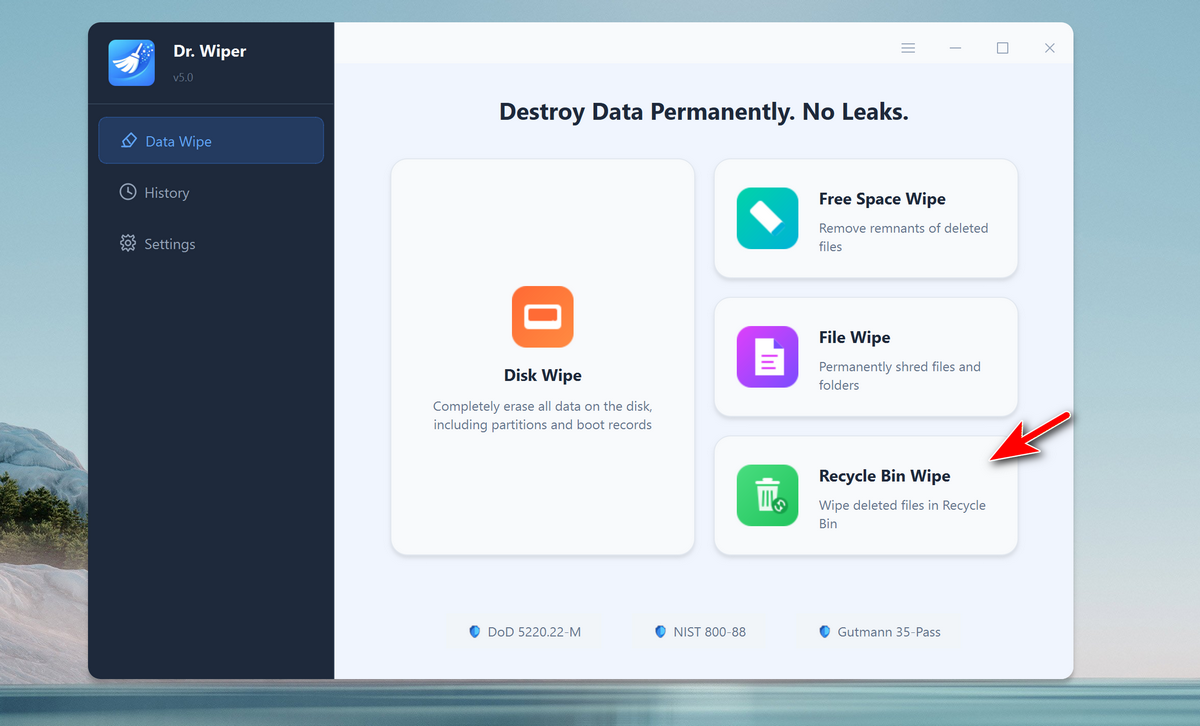
Step 2: From the main interface, select the Recycle Bin Wipe option. This feature is designed specifically to destroy deleted files in Recycle Bin.
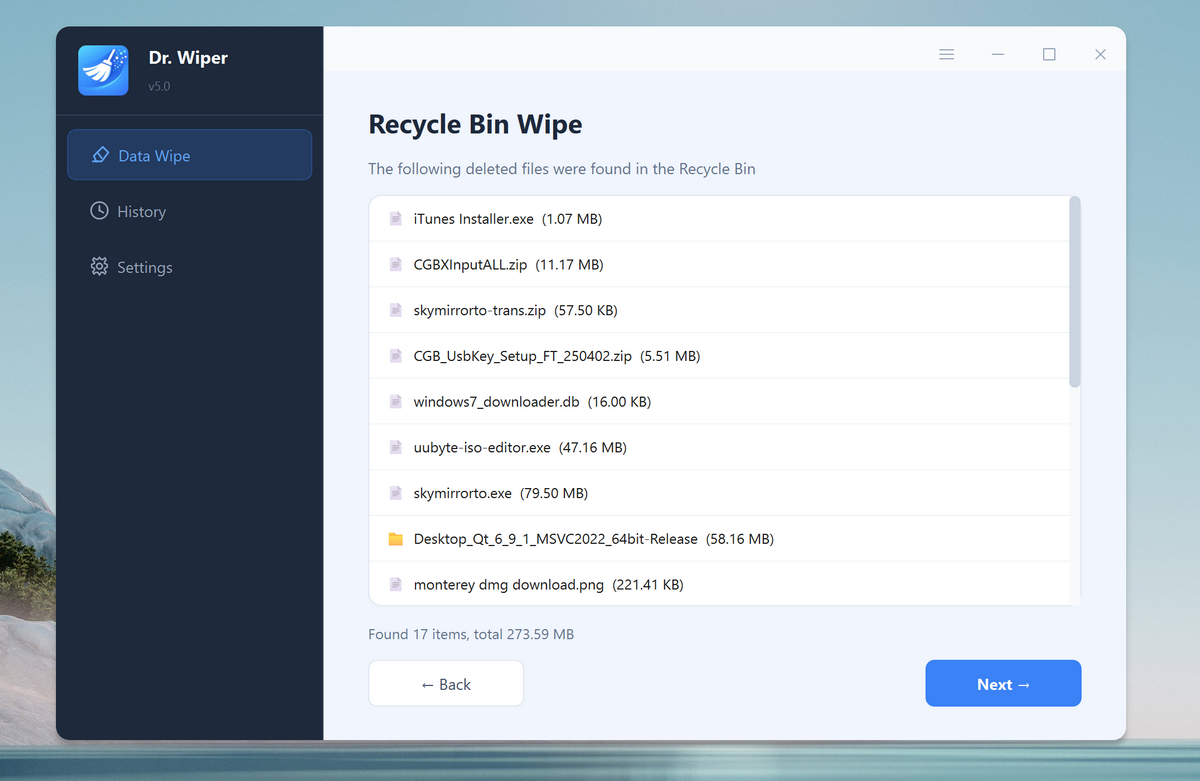
Step 3: Dr.Wiper will scan the contents of the bin and prepare them for secure deletion. Now, click the Next button to procced.
Step 4: Choose a secure wiping method such as single-pass overwrite NIST 800-88 (fast), DoD 5220.22-M or German VSITR. Higher pass counts provide stronger protection against data recovery.
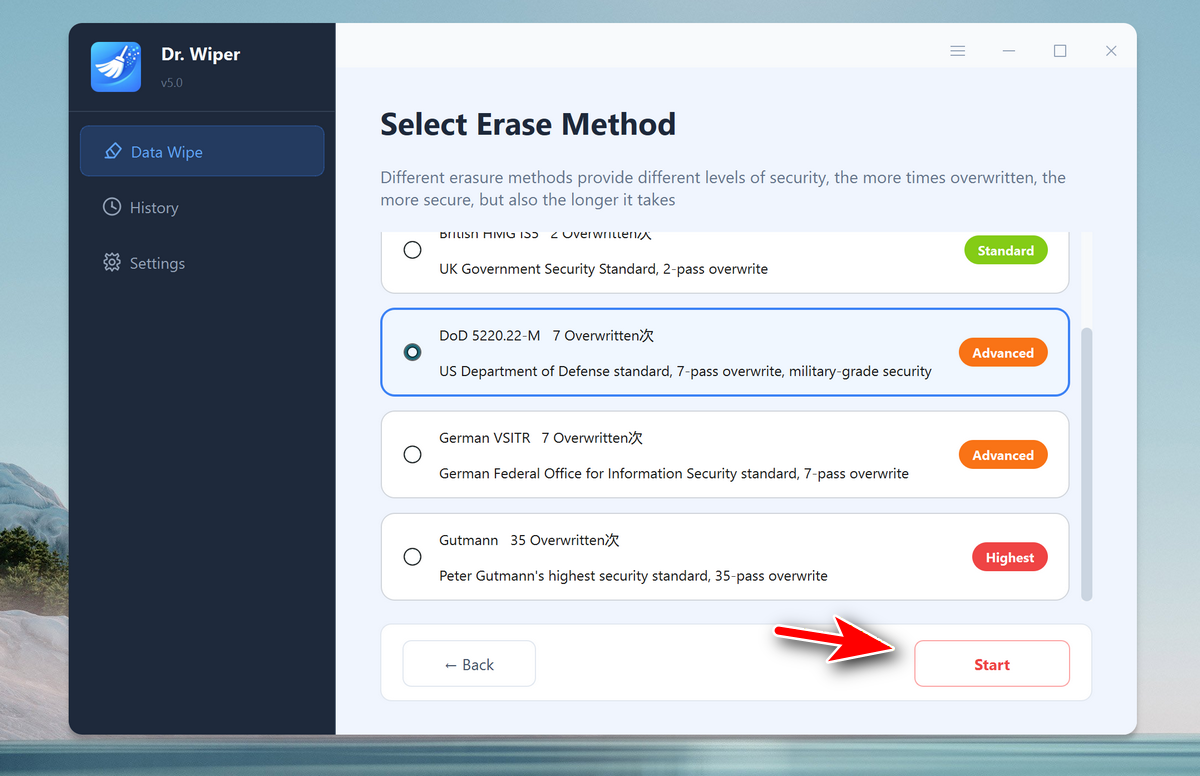
Step 5: Click the Start button. Dr.Wiper will overwrite the deleted files multiple times to ensure the data is permanently destroyed.
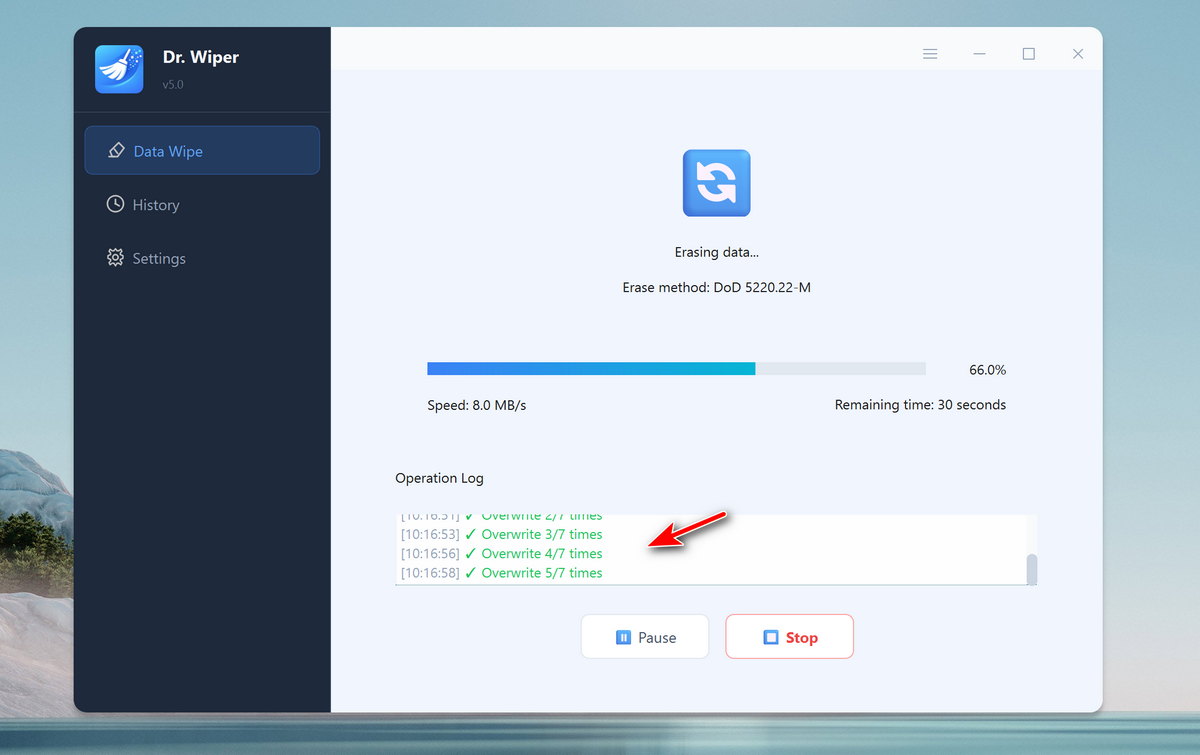
Step 6: Once the process is finished, the files previously stored in the Recycle Bin will be completely erased and impossible to recover.
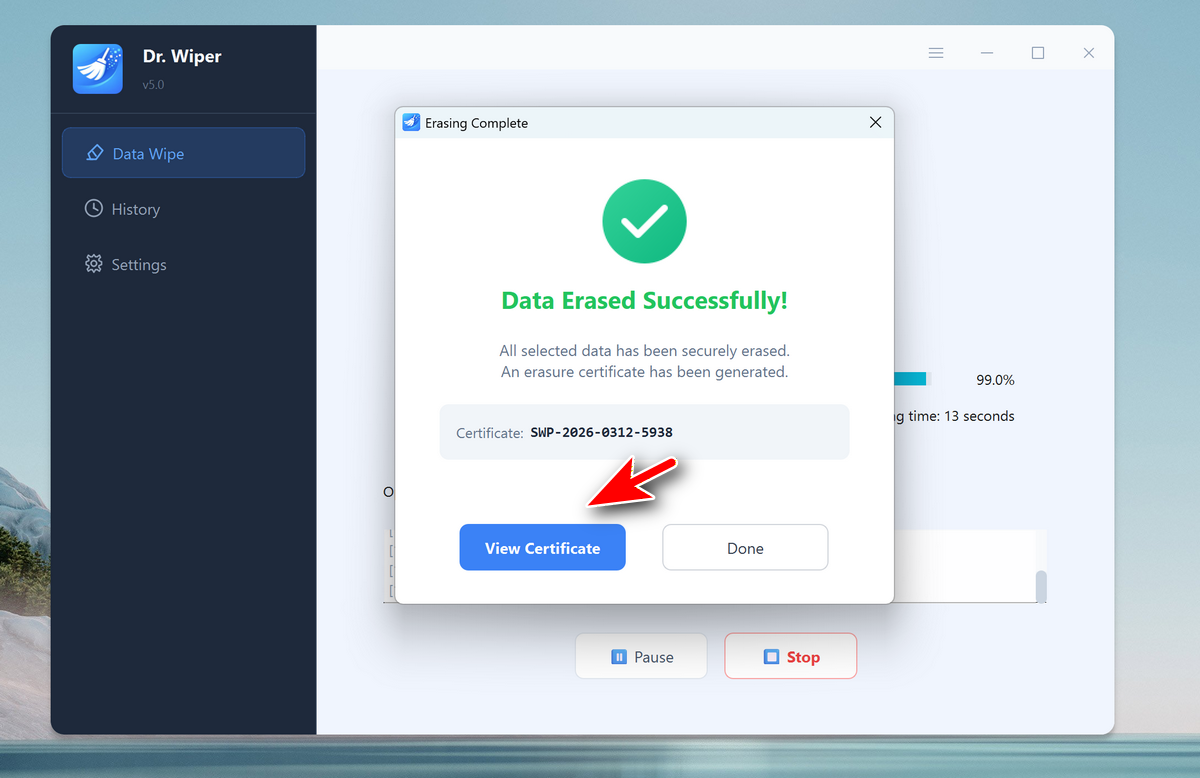
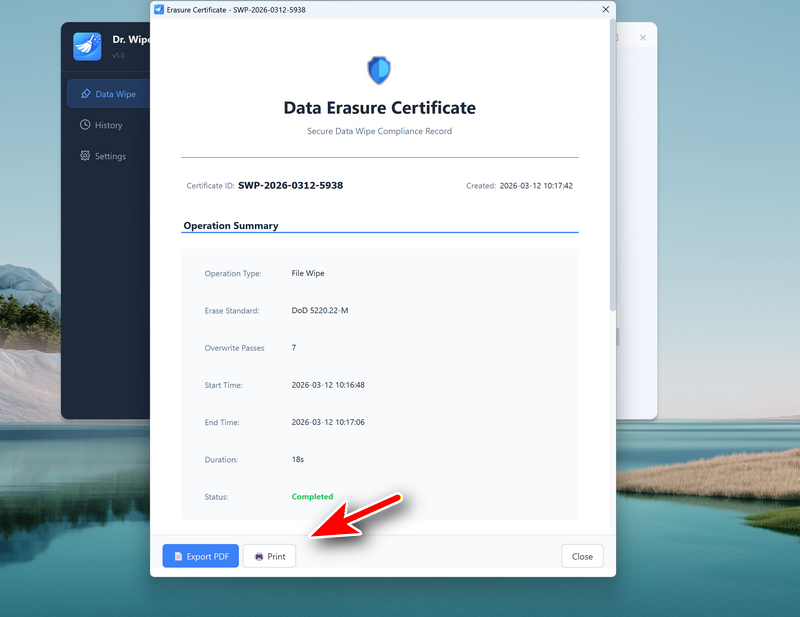
And you have a certificate for this data wipe. You can export it as PDF or print it directly.
Key Advantages of Using Dr.Wiper
- Permanently removes deleted files beyond recovery
- Supports advanced wiping algorithms
- Securely cleans Recycle Bin data
- Easy-to-use interface for beginners
- Ideal for protecting sensitive personal or business information
Conclusion
Simply emptying the Recycle Bin on Windows 11 does not permanently remove files. The deleted data often remains on the disk and can be recovered using specialized recovery software. This creates a potential risk when disposing of sensitive files or preparing a computer for resale.
Using a professional wiping tool such as Dr.Wiper ensures that deleted files are overwritten using secure algorithms, making recovery virtually impossible. If you want to guarantee that the files in your Recycle Bin are permanently destroyed, a dedicated data-wiping solution is the safest and most reliable approach.