Download and Install PDFNavo
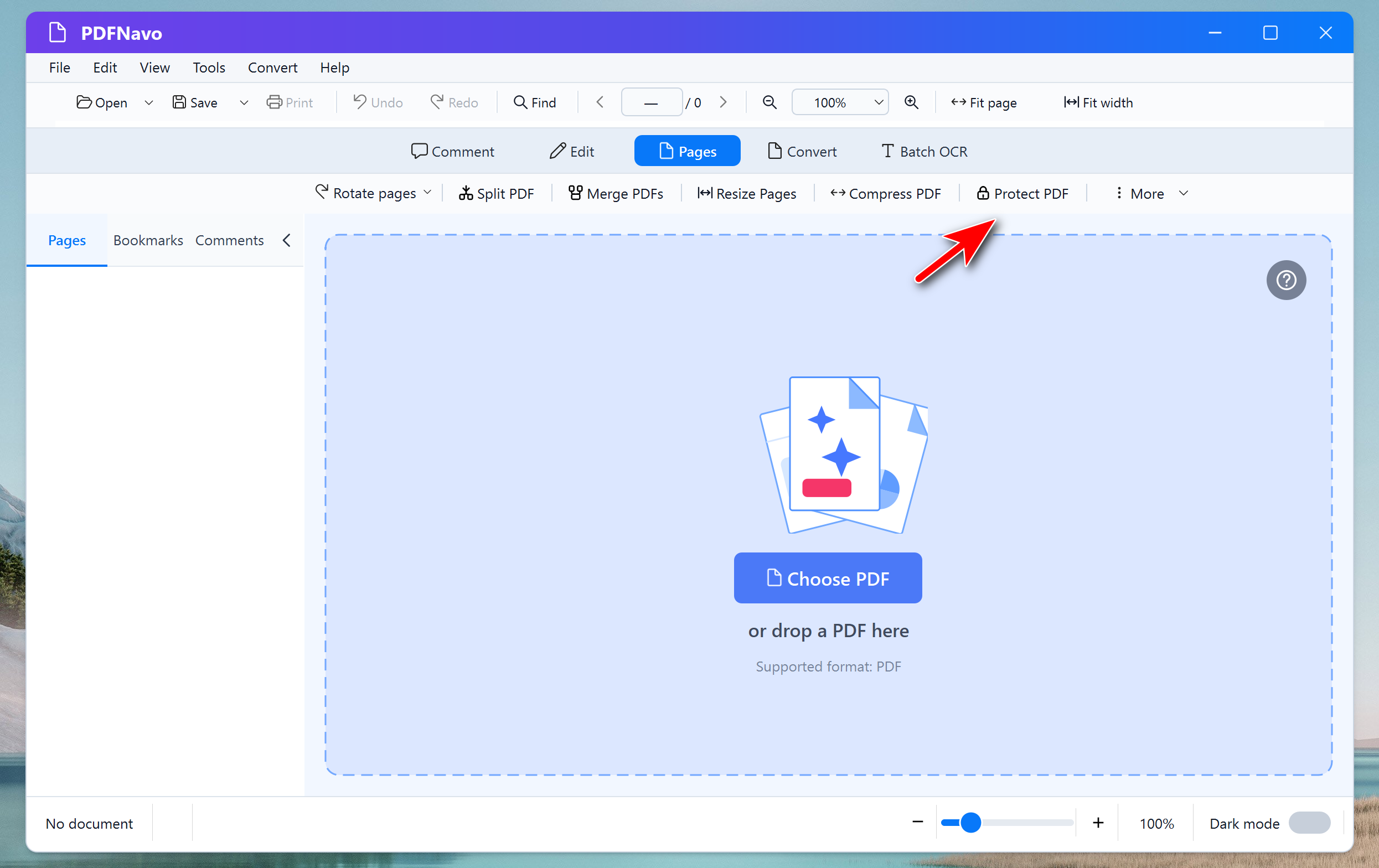
Download and install PDFNavo on your Windows PC or Mac. Launch the application, select the Pages tab and click Protect PDF.

Keep sensitive PDFs private with PDFNavo for Windows or Mac. Add strong password encryption, restrict editing and printing, and protect multiple PDFs at once.
Contracts, financial reports and personal records often contain confidential information. An unprotected PDF can be opened or shared by anyone who obtains a copy. Protecting access while allowing authorized recipients to work with the document can be challenging.
PDFNavo lets you add an open password, choose an encryption level and set a separate permission password. You can also restrict printing, copying, editing and page extraction in compatible PDF readers, and protect multiple documents in one batch.
Follow these six simple steps to add password protection to one or multiple PDF files using PDFNavo.
Download and install PDFNavo on your Windows PC or Mac. Launch the application, select the Pages tab and click Protect PDF.

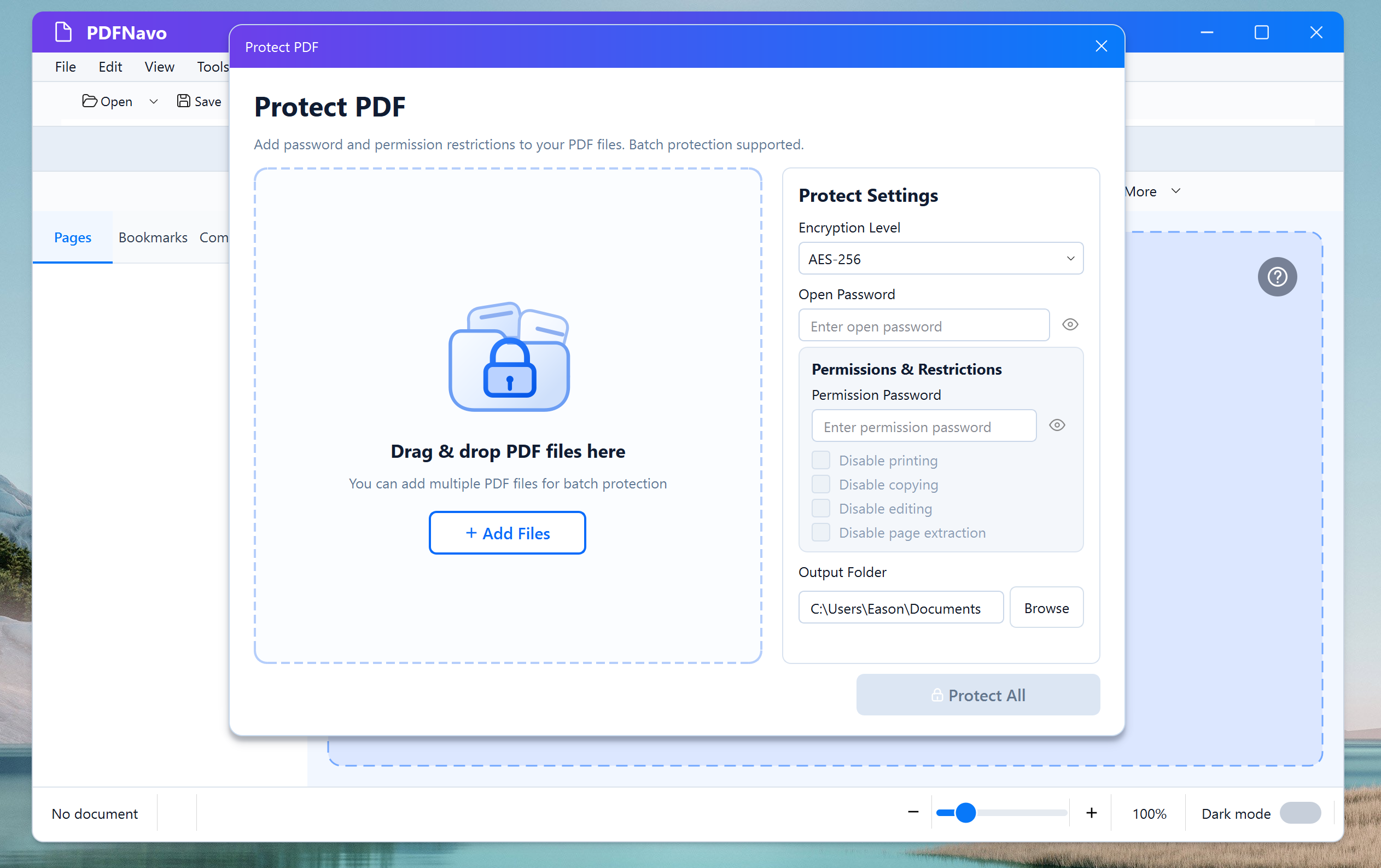
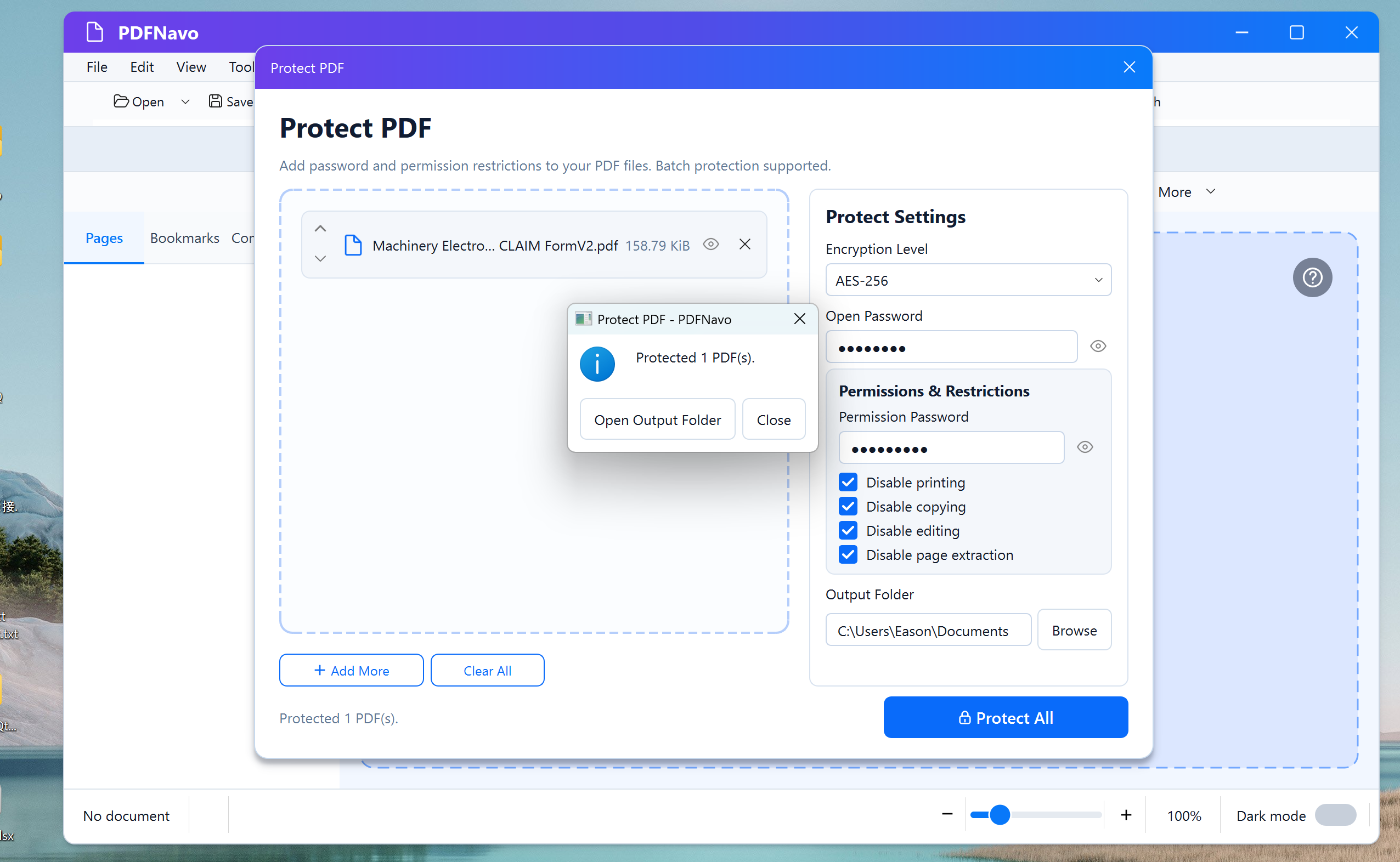
In the Protect PDF window, click Add Files or drag and drop the PDF documents you want to protect. You can add multiple files for batch protection.

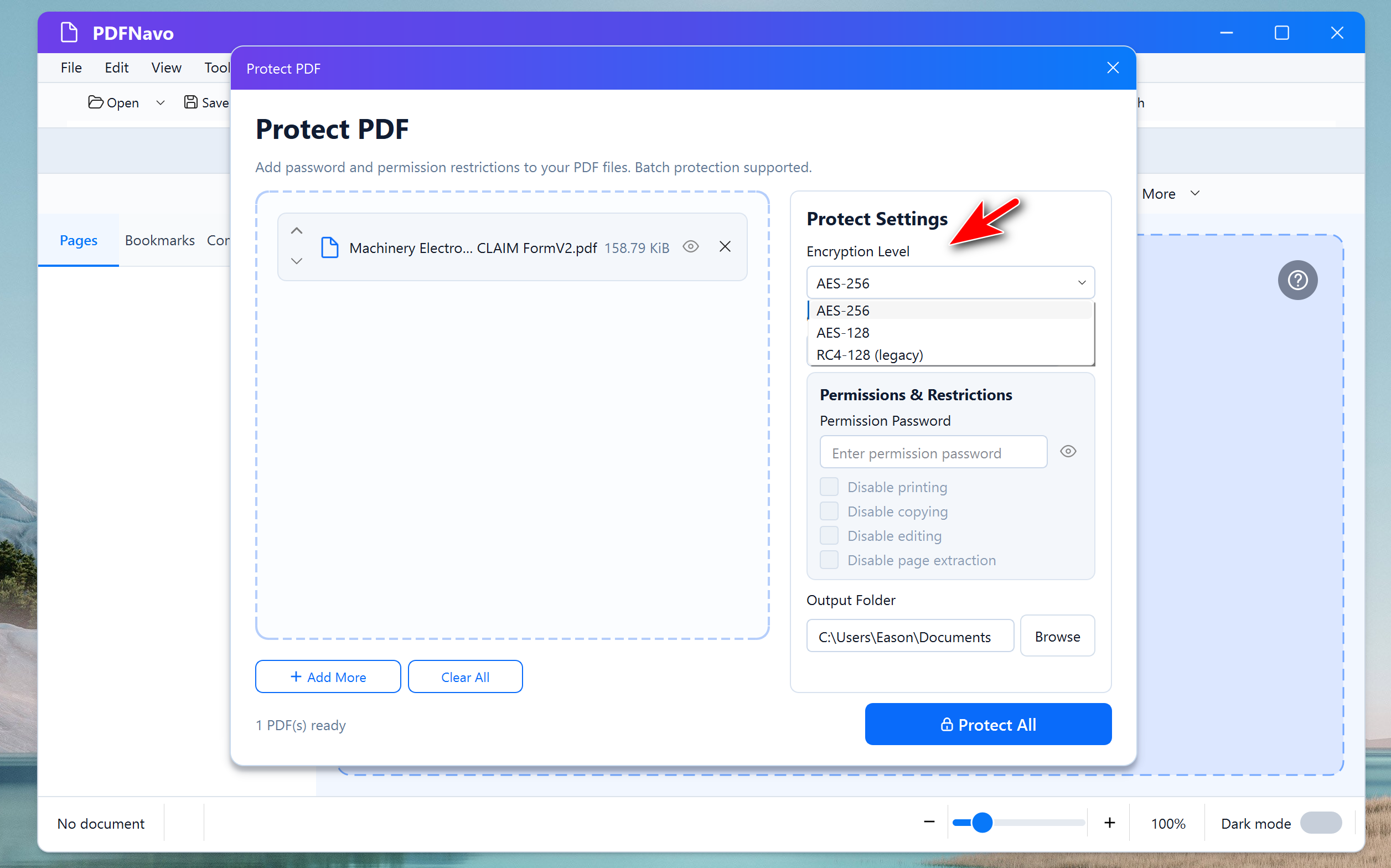
Open the Encryption Level menu and choose AES-256 for strong encryption. AES-128 is another option for compatibility; avoid RC4-128 (legacy) unless required by older software.

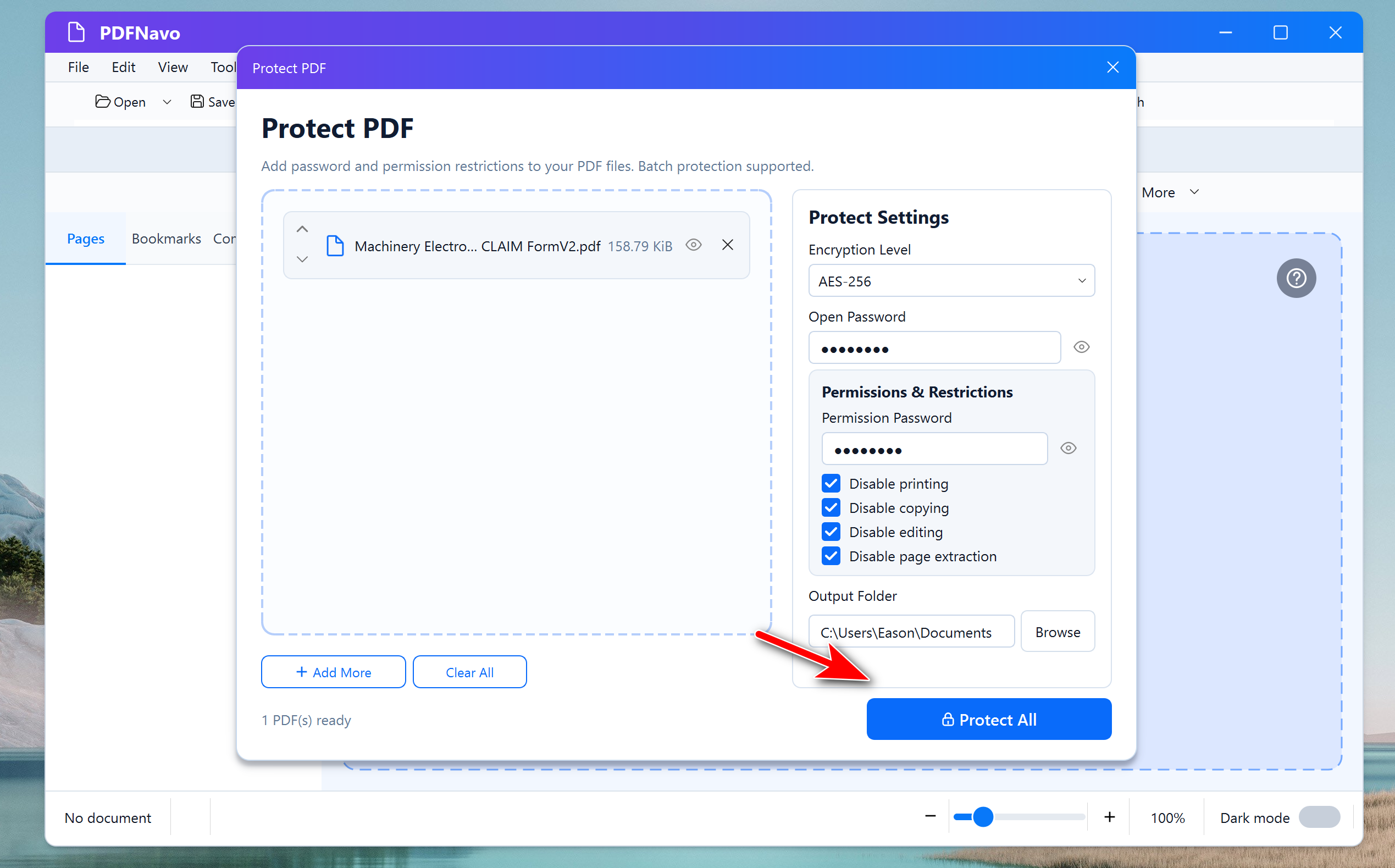
Enter a strong, unique open password to require authentication when opening the PDF. Set a separate Permission Password if you want to disable printing, copying, editing or page extraction. Choose an output folder and click Protect All to apply the settings.

When PDFNavo displays the protection result, click Open Output Folder to locate the protected PDF files. Confirm that the expected number of documents has been processed.

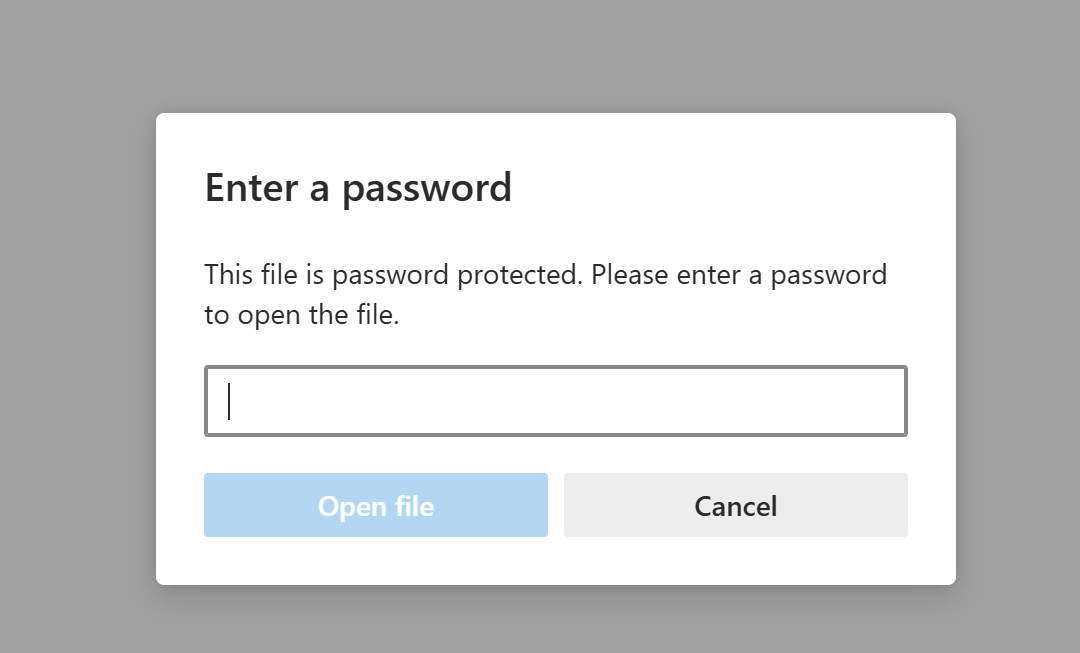
Open the protected PDF in a compatible reader. Confirm that it prompts for a password, enter the open password and verify that the document opens correctly. Check any selected permission restrictions before sharing.

PDFNavo simplifies PDF password protection with AES encryption, separate open and permission passwords, and batch processing. Use an open password to protect access to sensitive documents rather than relying solely on editing or printing restrictions.
Store your passwords securely and keep original files in a safe location. Permission restrictions depend on the PDF reader and do not prevent every form of copying. Share the open password separately through a secure channel.
Download PDFNavo for Windows or Mac and add password protection to your PDF documents in just a few clicks.
๐ฌ Reviews