
How to Password Protect a PDF File Using AiseeFox PDFZin
on a Windows PC or Mac
PDF files often contain sensitive information such as financial records, contracts, business reports, or personal documents. Adding password protection is one of the easiest ways to prevent unauthorized access and keep your files secure. With AiseeFox PDFZin, you can encrypt your PDF documents in just a few simple steps without requiring any technical experience.
The Challenges of Adding Protection to a PDF File
Protecting a PDF sounds simple, but many users encounter obstacles when trying to secure their documents effectively.
- Online tools may expose sensitive documents to privacy and security risks during upload.
- Many PDF editors require expensive subscriptions before password protection is available.
- Many tools have complicated interfaces, making it difficult to password-protect PDFs quickly and correctly.
How to Password Protect a PDF Using AiseeFox PDFZin
Protecting your PDF files helps keep sensitive information safe from unauthorized access. With PDFZin, you can easily add an open password and apply permissions to prevent editing, copying, or printing before sharing your documents.
Step 1Download and Launch PDFZin
Click the below download button and follow the prompts to install PDFZin software on your computer.
Free Trial Free Trial
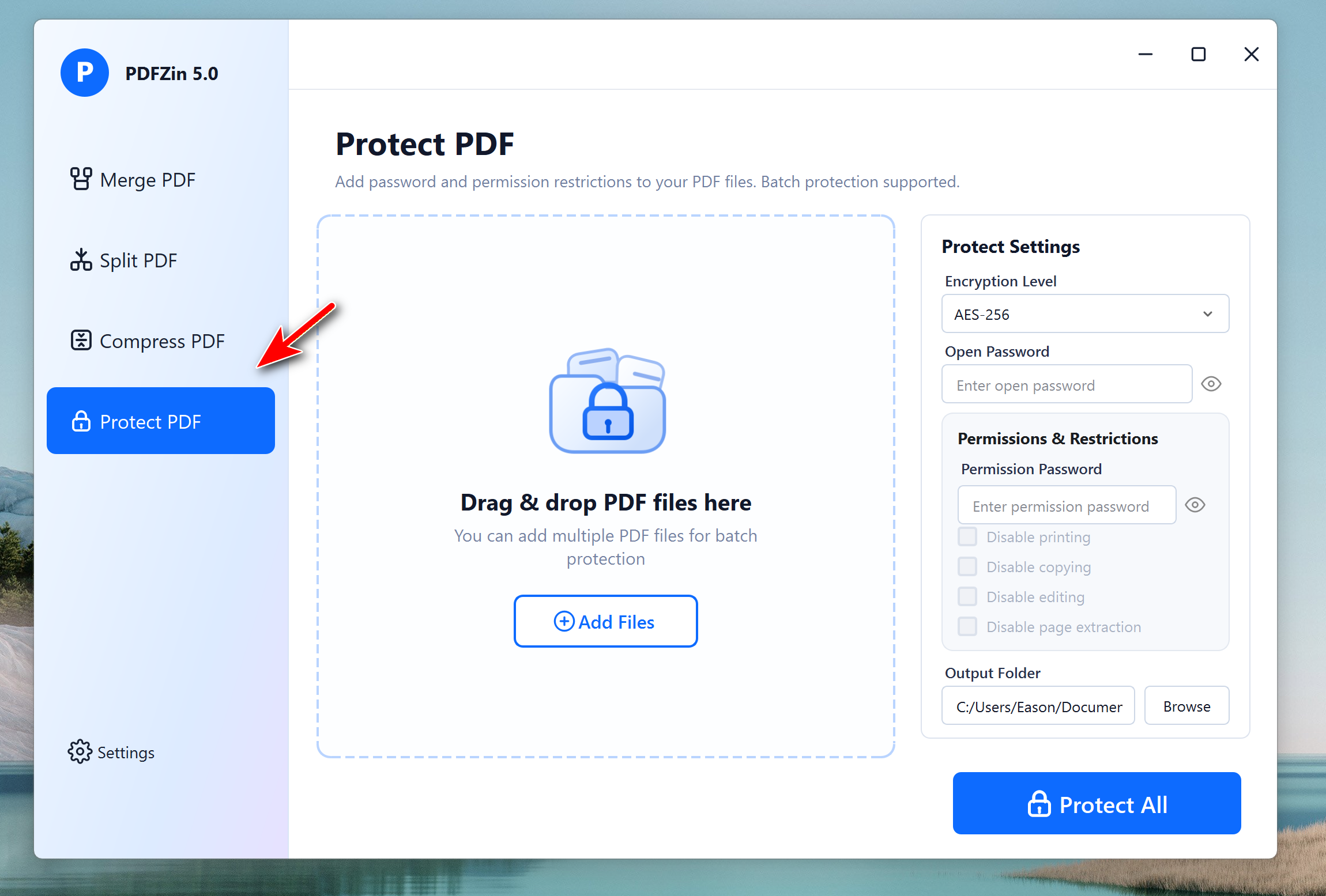
Step 2Choose "Protect PDF" Menu and Import PDF Files
Open PDFZin software and click the Protect PDF menu from the left sidebar. Now, click the Add Files button to load PDF documents from the local drive.
Step 3Configure an Open Password or Permission Password
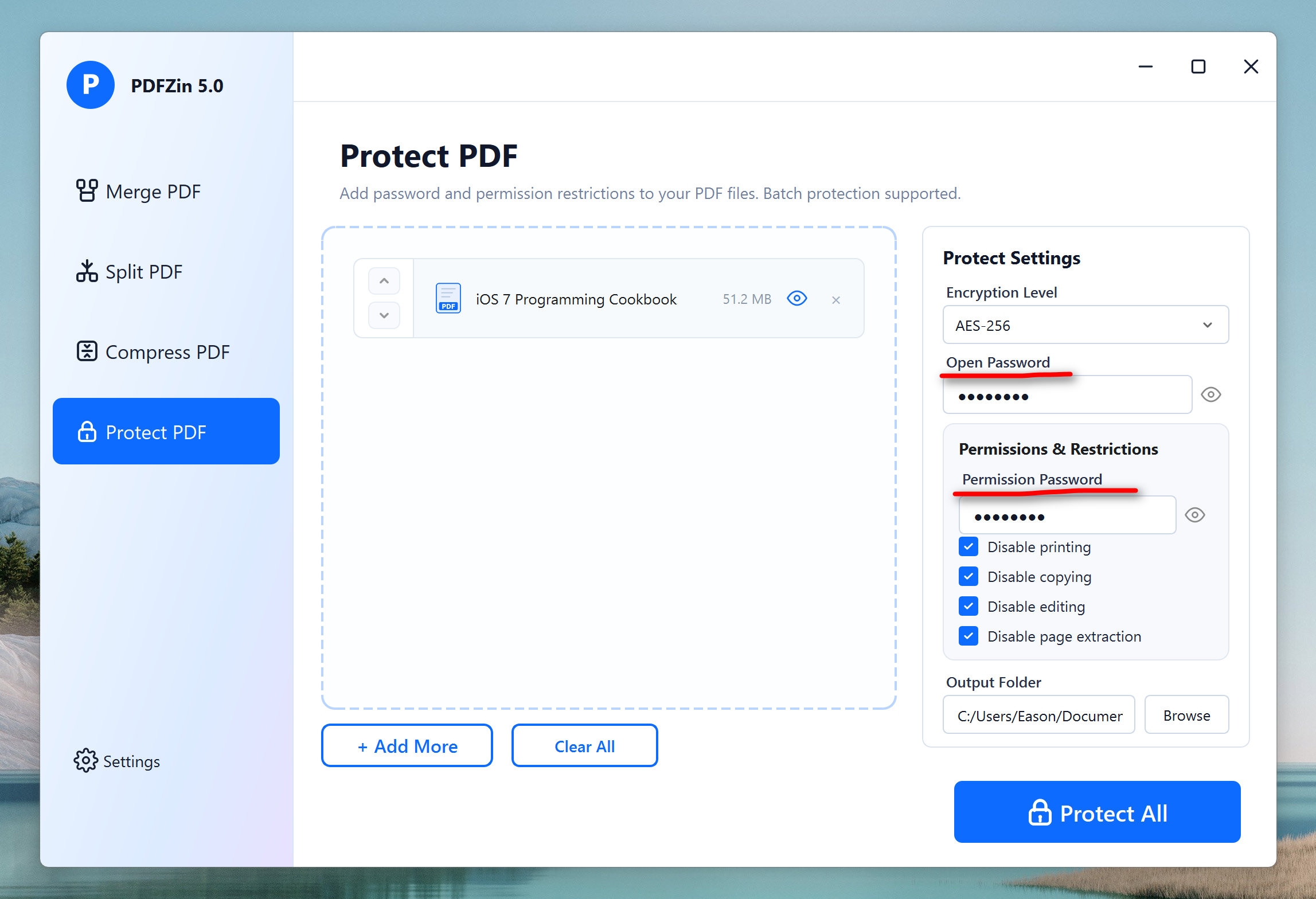
Choose whether to add an Open Password for access protection or a Permission Password to restrict document actions. You can now enter the password and configure the permissions by enabling or disabling editing, copying, and printing as needed.
Step 4Start Adding a Password to PDF File
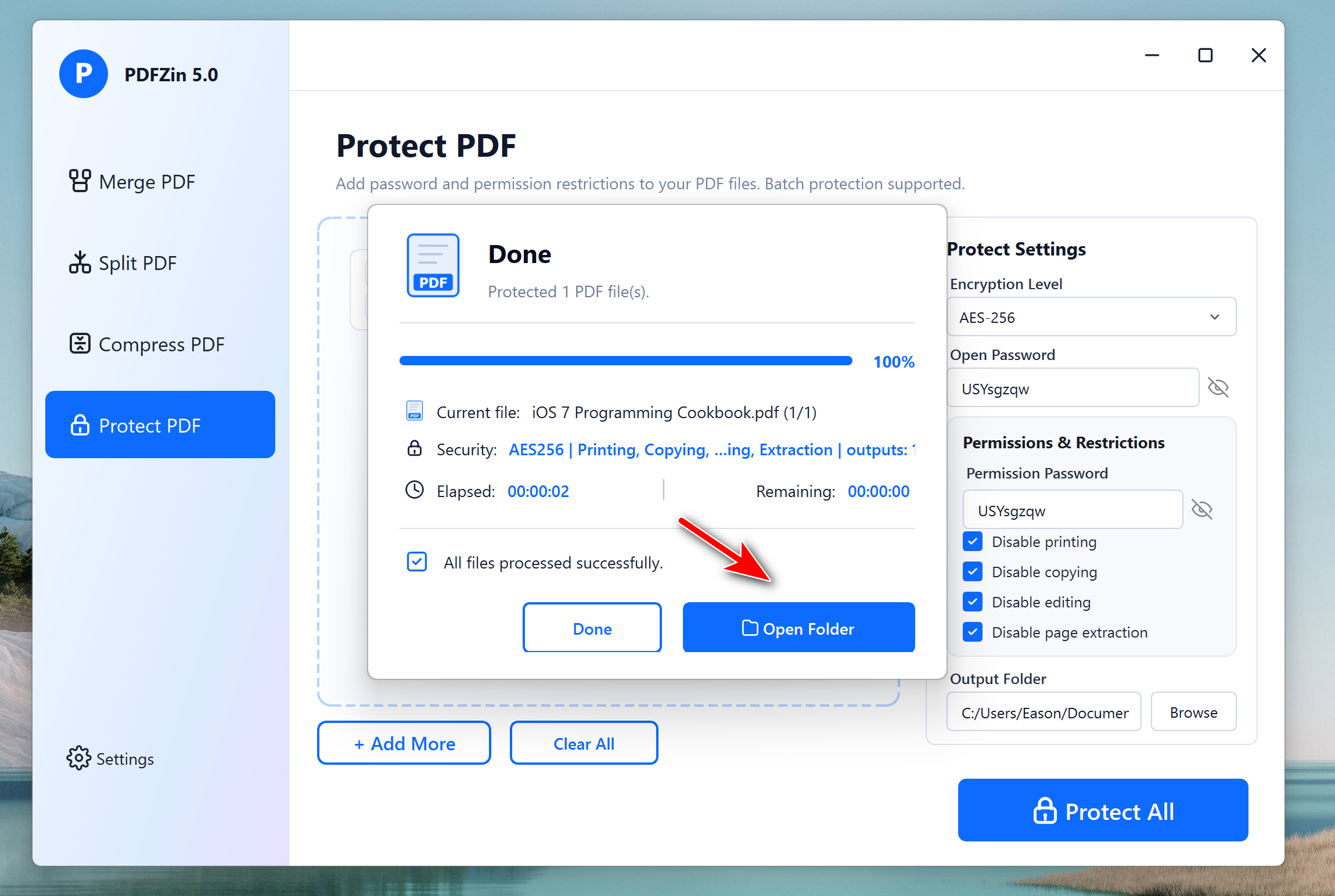
Select the destination folder where you want the protected PDF files to be saved. Now, Click Protect All at the bottom and wait a few seconds while PDFZin encrypts and saves your secured PDF documents.
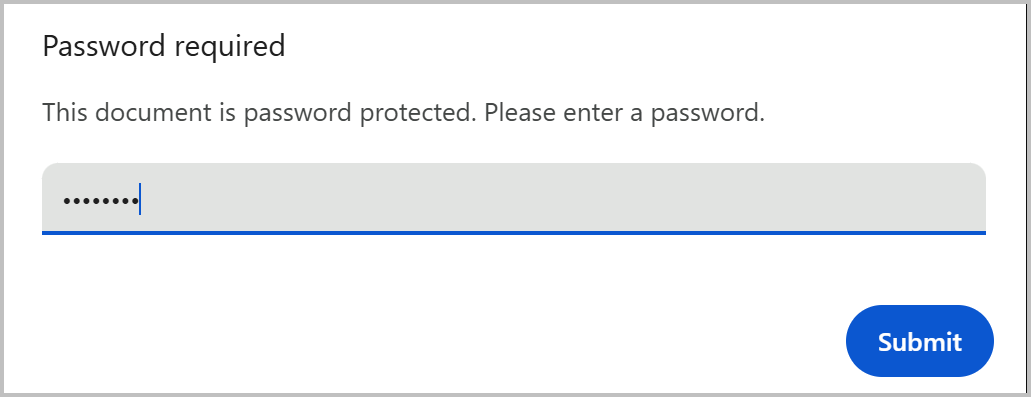
Once it is done, you need to enter the password first before viewing the content in the PDF file.
 Free Trial
Free Trial
Free Trial
Conclusion
Password protecting a PDF is a simple yet effective way to safeguard confidential information from unauthorized access. AiseeFox PDFZin makes the entire process quick and user-friendly, allowing you to encrypt your PDF documents in just a few clicks. Whether you're protecting personal records, business files, or legal documents, PDFZin provides an easy solution to help keep your PDFs secure.

Mateo Ryan
Mateo is a senior editor at Aiseefox and lifelong tech enthusiast with over a decade of experience writing thousands of articles about Windows and macOS. Beyond writing, Mateo enjoys creating short explainer videos, gaming and exploring animated shows.
💬 Reviews