
Transfer Files at Full Speed
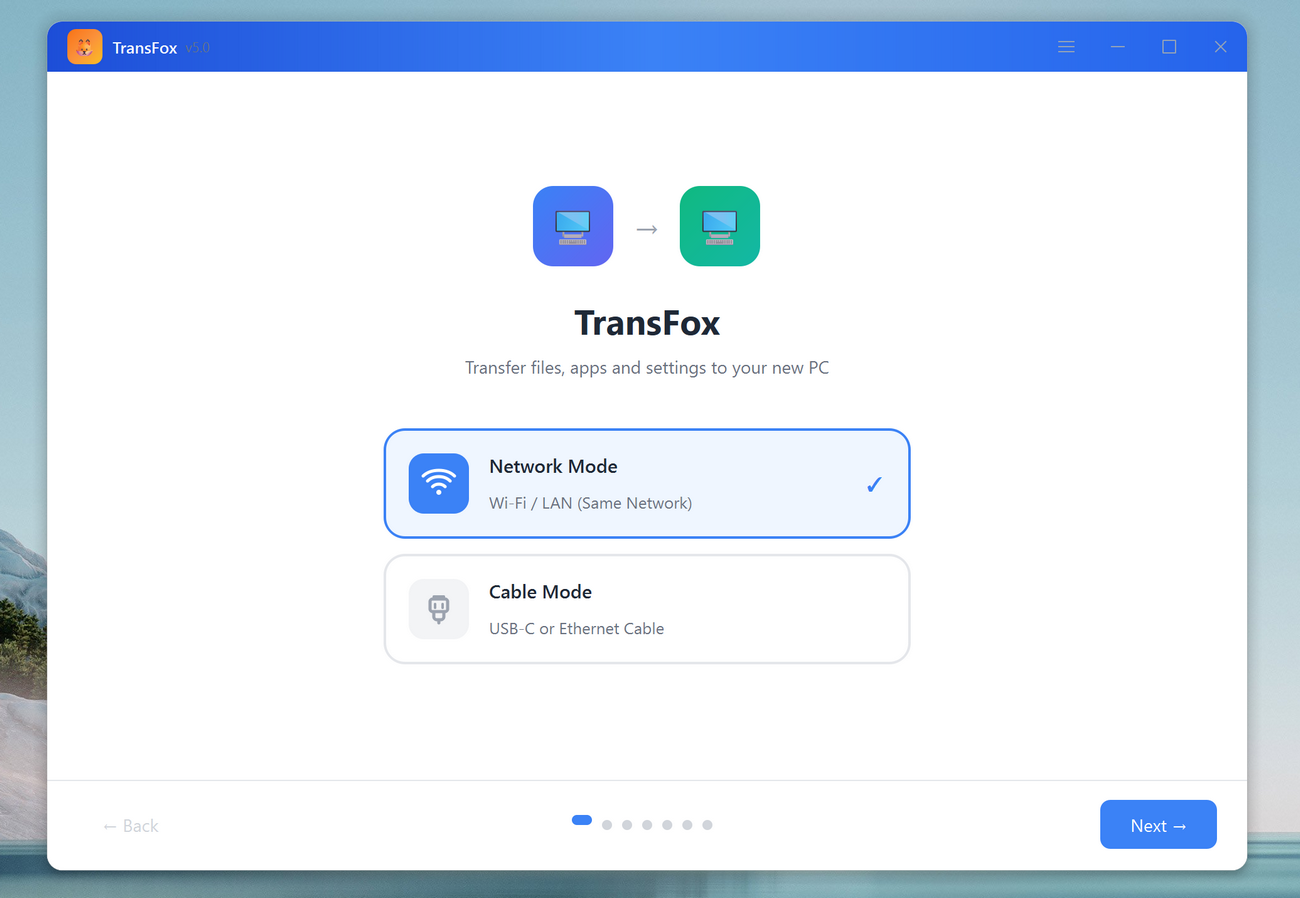
TransFox helps you move documents, photos, videos, project folders, downloads, and more from your old PC to a new one. Choose Wi-Fi transfer for convenience, or plug in an Ethernet cable for faster, more reliable performance that is perfect for large transfers and unstable networks.
Move Apps Without Reinstall
Redownloading and Reinstalling apps one by one is time-consuming. With TransFox, you can migrate compatible installed programs from one computer to another in a guided workflow, reducing setup time and helping you get productive faster after switching PCs.
Migrate System Settings in One Go
TransFox can also migrate key Windows preferences and system settings so the new PC "feels familiar" immediately. From common personalization options to essential system configurations, TransFox saves you from re-tuning everything manually after migration.
Transfer Anything You Need Safely & Selectively
TransFox is built for both everyday users and power users. You can move everything in one click, or select only what you want to migrate. It鈥檚 a simple experience on the surface, with advanced reliability underneath.
Easy to Use PC File Transfer Software
Seamlessly transfer data from one PC to another with TransFox鈥攏o complicated setup, no manual copying, and no cloud upload required. Just connect the two computers via Wi-Fi or Ethernet, choose what you want to move, and let TransFox handle the rest quickly and securely.
How to Use TransFox for PC Transfer
-
Step 1. Install TransFox app on Old and New PC
Download and run the TransFox app on the source and destination PC.
-
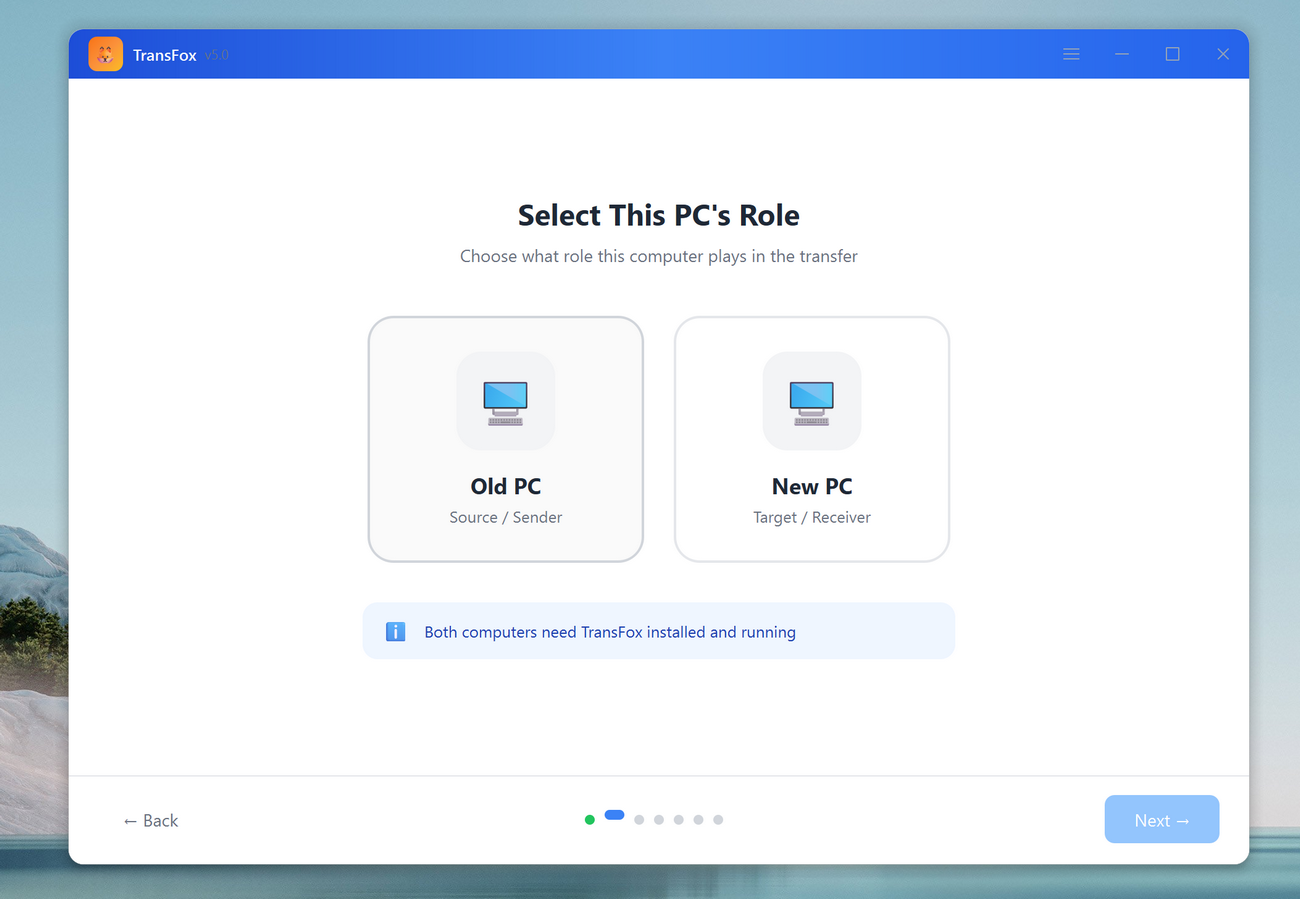
Step 2. Choose the Role of PC
There are two roles available from the app. The Old PC is the source device to start the file transfer. And the New PC is the device to receive the files.
-
Step 3. Start File Transfer
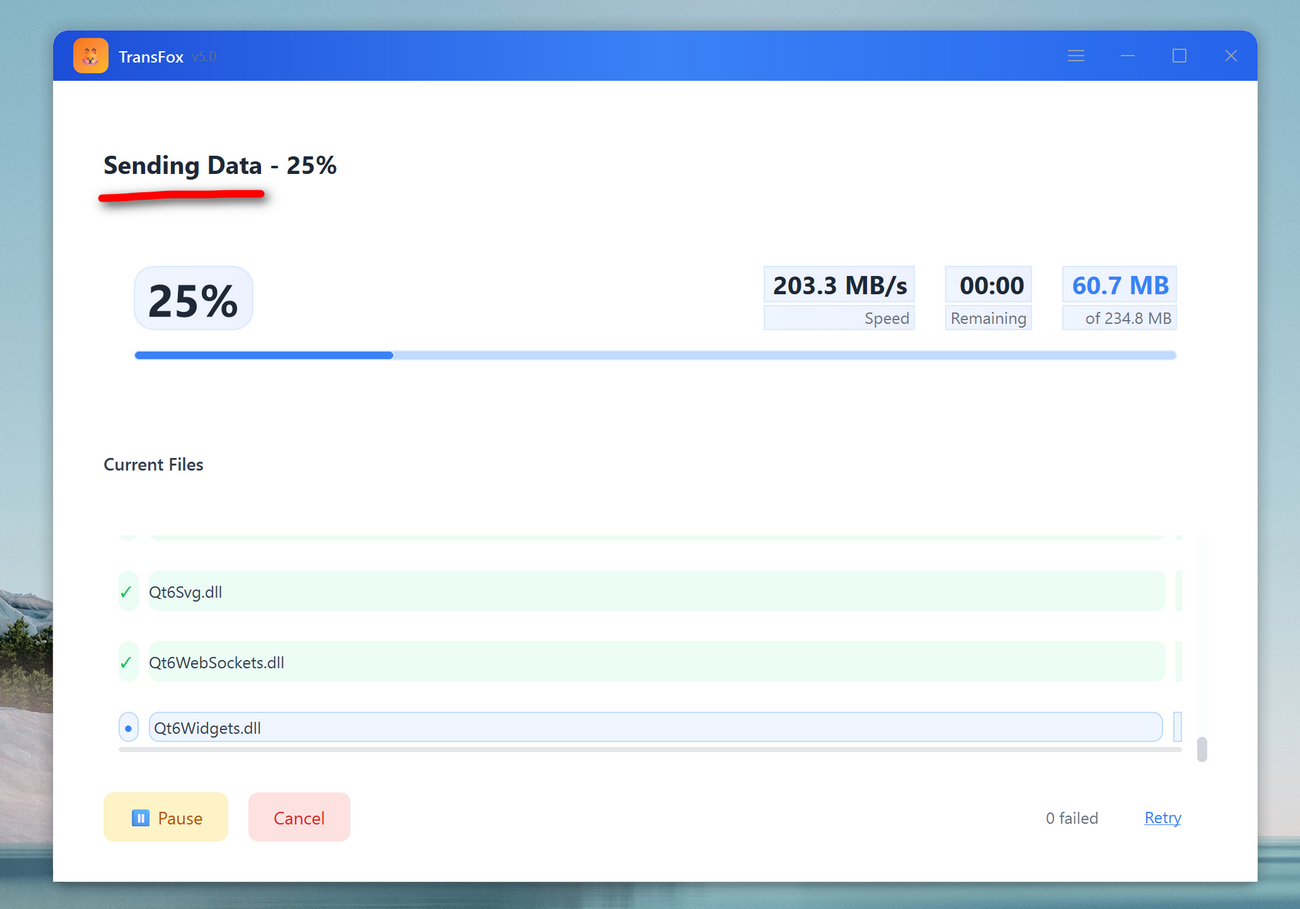
Choose the apps, files or system settings on old PC and start file transfer from old PC to new PC.
Editor Reviews

"TransFox makes PC migration feel modern鈥攆ast discovery, clean UI, and a transfer workflow that actually makes sense."

"Ethernet mode is a game changer for big transfers. Stable, quick, and far less stressful than external drives."
"The app + settings migration saves hours. It鈥檚 a strong option for anyone switching to a new Windows computer."

"Simple enough for beginners, but powerful enough for IT support. A solid PC-to-PC transfer solution."
AiseeFox TransFox
Download our amazing tool for fast and safe file transfer!