
Password Protect Sensitive PDF
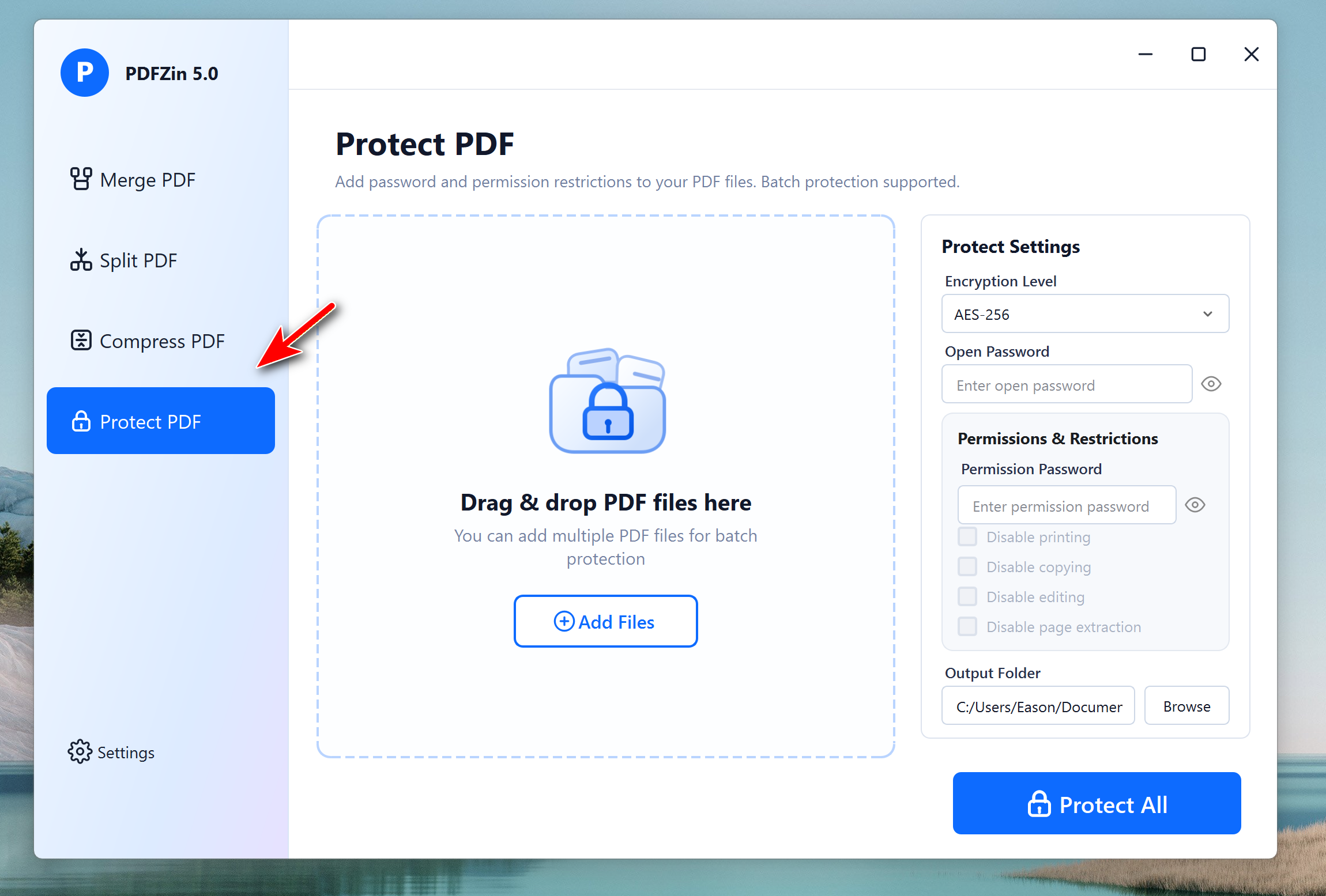
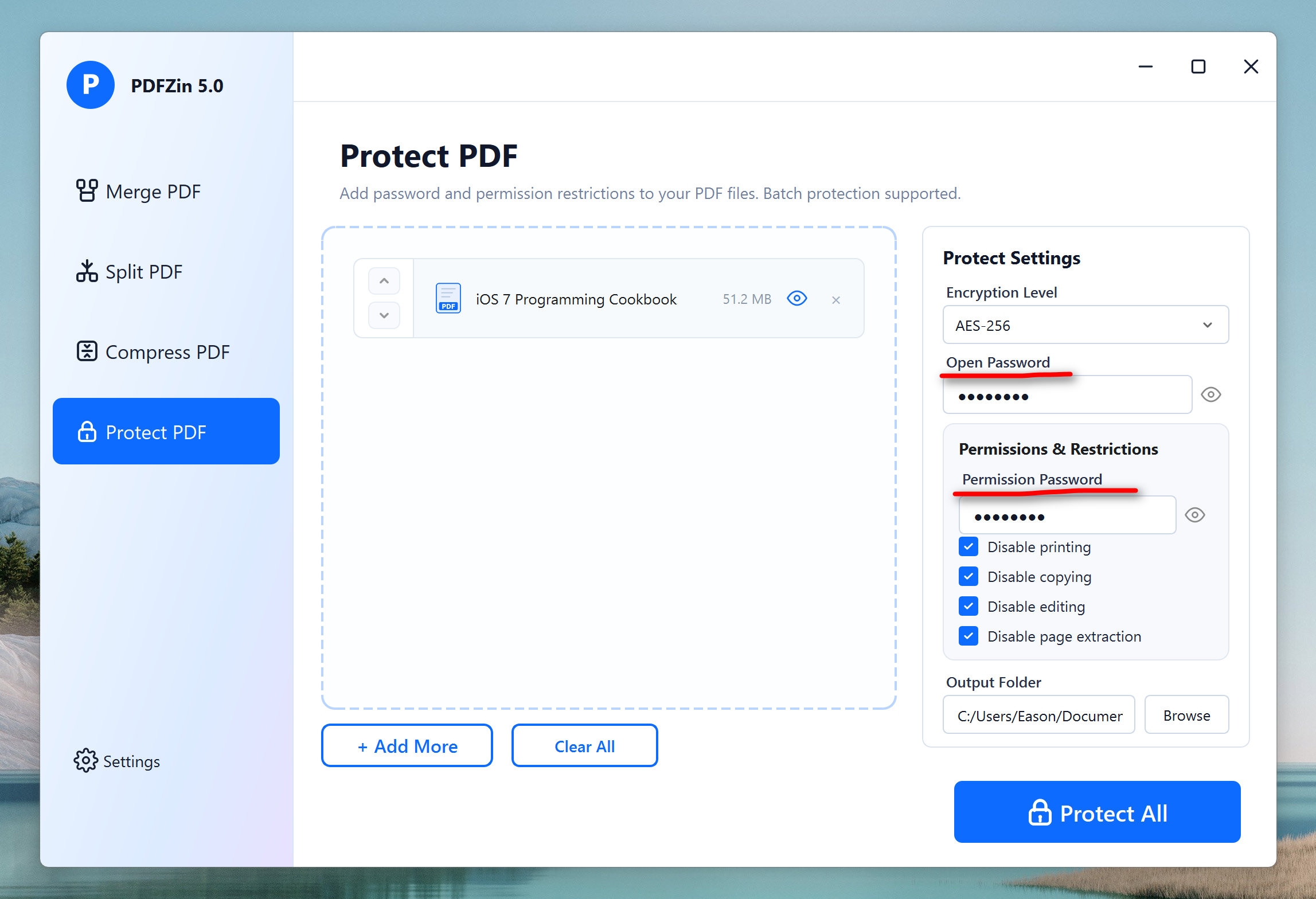
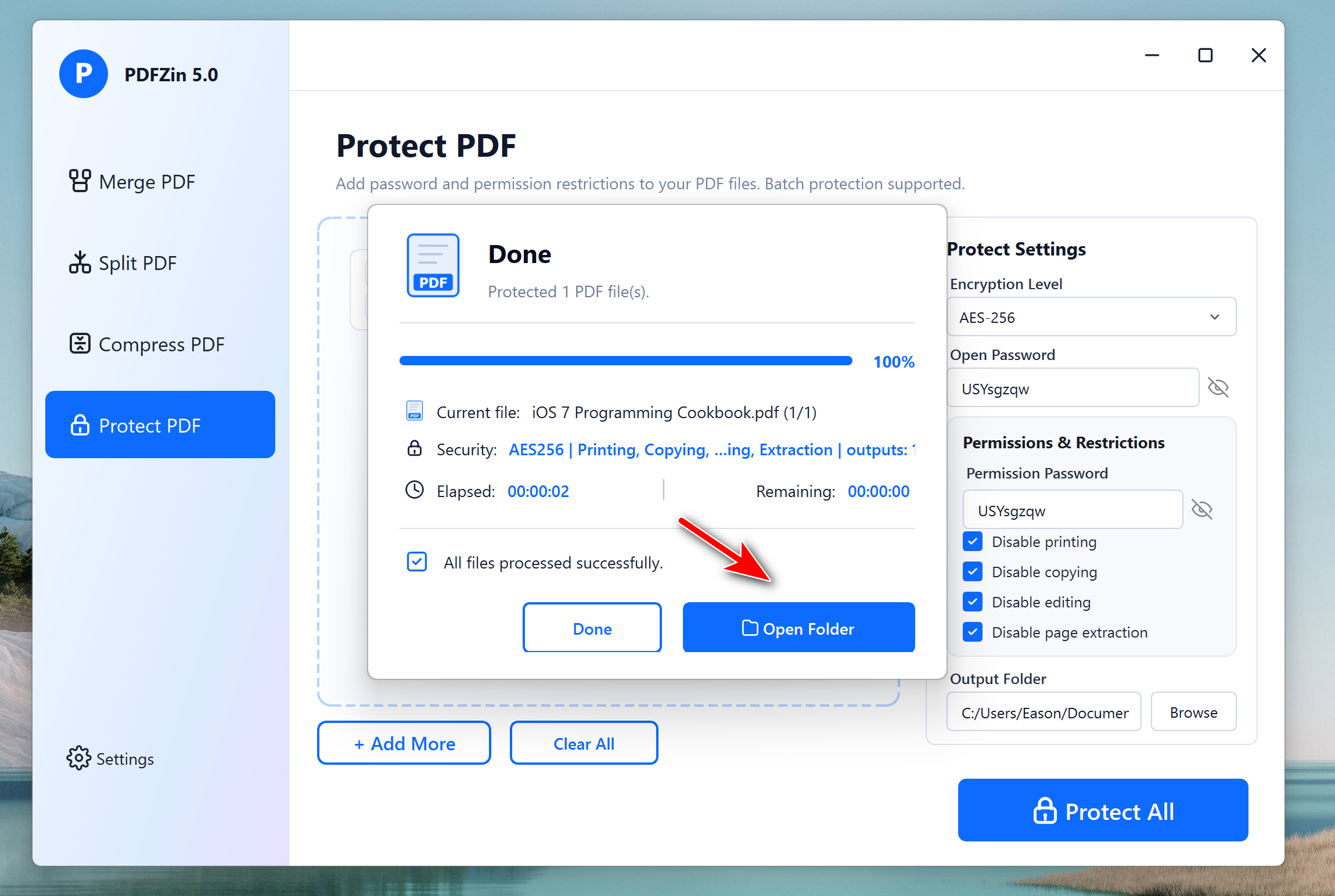
Keep your confidential PDFs protected with enterprise-grade security. PDFZin lets you add password protection and control who can open, edit, copy, or print your documents, giving you complete peace of mind when sharing sensitive files.
Compress PDF and Keep Quality
Shrink large PDF files in seconds without compromising quality. PDFZin intelligently reduces file size while preserving crisp text, clear images, and the original document layout, making your PDFs easier to store, upload, and share.
Merge Multiple PDF Files into One
Bring multiple PDF documents together into one polished file with just a few clicks. Whether you're combining reports, contracts, presentations, or scanned documents, PDFZin keeps everything organized while maintaining the original formatting for a professional result.
Split Large PDFs into Smaller, Manageable Files
Need to extract specific pages or break a large PDF into smaller documents? PDFZin makes PDF splitting fast, flexible, and hassle-free. You can split a PDF by page range or separate every page into an individual file while preserving the original formatting and quality. Whether you're sharing selected pages, organizing lengthy reports, separating scanned documents, or extracting important sections from a large file, PDFZin helps you create perfectly organized PDFs in just a few clicks.

Clean Layout and Intuitive User Interface
PDFZin combines powerful wiping technology with a sleek, beginner鈥慺riendly interface. All features are laid out in clear, step鈥慴y鈥憇tep panels, so even non鈥憈echnical users can perform secure wipes without risk.
How to Use PDFZinon PC or Mac
-
Step 1. Import PDF Files
Download and install PDFZin on your PC or Mac and add PDF files into the program.
-
Step 2. Choose a PDF Task
You can pick up the PDF tasks from sidebar, including Merge, Split, Compress and Protect.
-
Step 3. Start the PDF Task
Complete the task settings and start the task by clicking the button at the bottom.
Editor Reviews

"A practical all-in-one PDF utility that covers the essentials. PDFZin makes it easy to protect sensitive documents, merge files, split large PDFs, and reduce file sizes without a complicated learning curve."

"PDFZin focuses on the features people use every day. Its clean interface and fast processing make PDF management simple for both home users and professionals. "
"For anyone looking for an offline PDF solution, PDFZin delivers impressive performance. The security tools and document management features work together in one lightweight application."

"Instead of relying on multiple online services, PDFZin brings PDF protection, compression, merging, and splitting into a single desktop program that's fast, convenient, and privacy-friendly."
AiseeFox PDFZin
One鈥憇top solution for managing PDF documents on Windows and Mac.