
Converting SVG files to PNG is a common task when working with scalable vector images, especially when you need to use them in projects that require raster formats. Any2Pic makes this process quick and straightforward, allowing you to transform your SVG files into high-quality PNG images in just a few steps. Whether youre preparing images for the web or another platform, Any2Pic ensures a smooth and efficient conversion process.
Step 1Download and Install Any2Pic on a PC or Mac
Any2Pic is a cross-platform image toolkit that supports the latest Windows 11 and macOS Sequoia. Please download the setup file and install the app on any PC or Mac.
Free Trial Free Trial
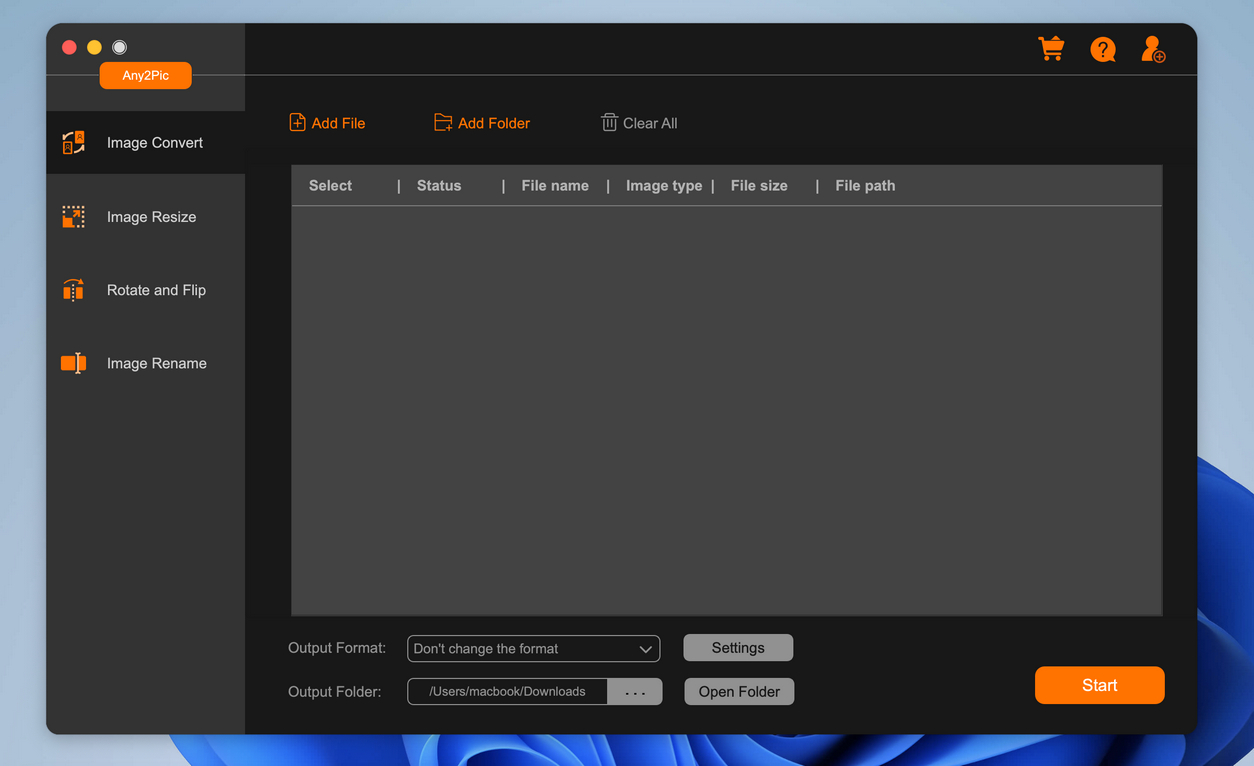
Step 2Open Any2Pic and Import SVG Files
Start the Any2Pic application on your computer. Click on the "Add File" button to upload the SVG images you want to convert. You can also drag and drop the files directly into the application.
Step 3Set PNG as the Output Format
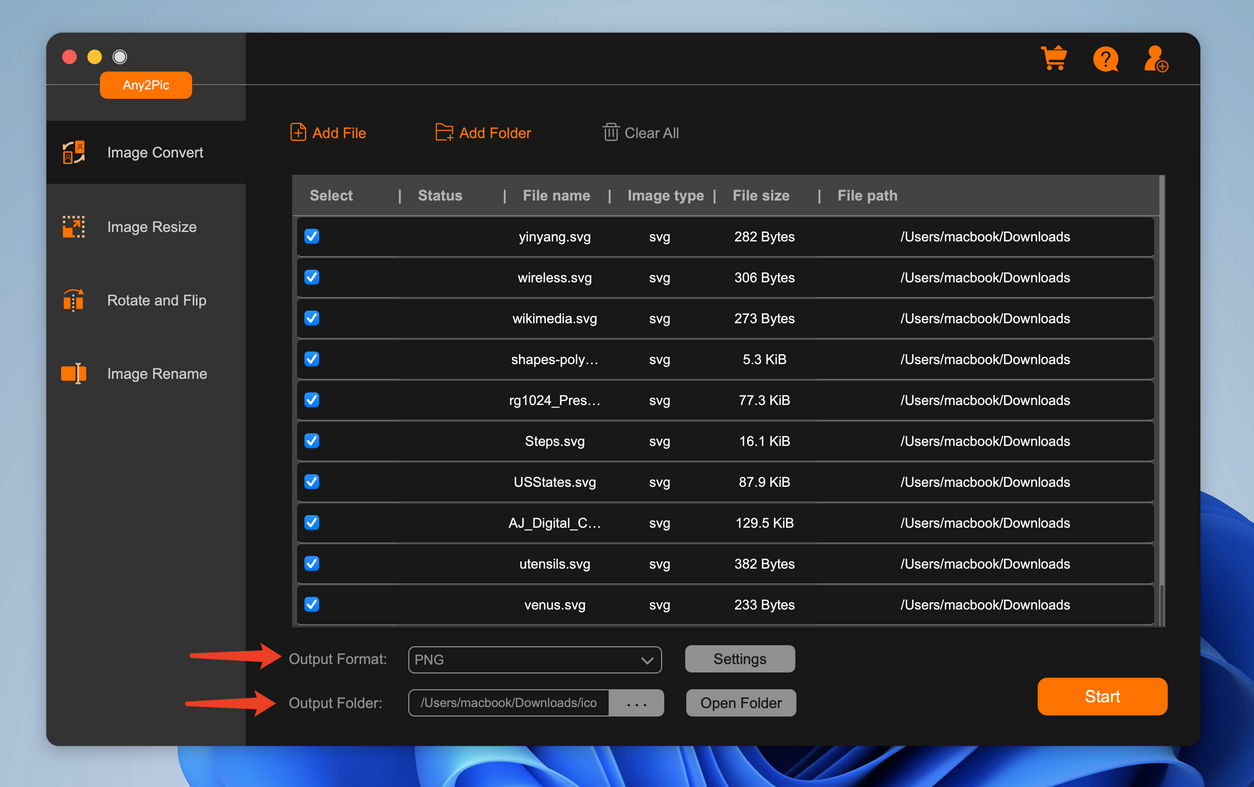
Move the mouse to the bottom of the program and choose PNG as the output format. And specify the folder where you want to save the converted PNG files by clicking the "..." button under the output folder option.
Step 4Start Converting SVG to PNG
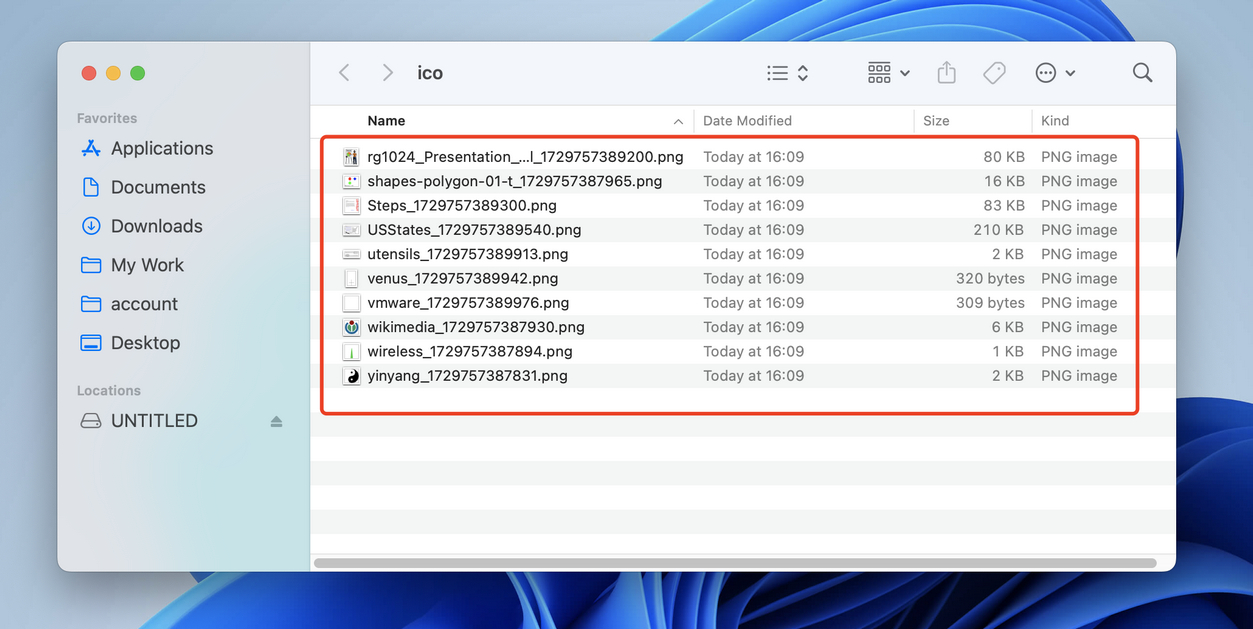
After configuring your settings, click the "Start" button to start the conversion process. Any2Pic will convert your SVG files to PNG format and save them in the selected folder.
With Any2Pic, converting SVG to PNG is a hassle-free experience that delivers high-quality results. The tool simplifies the task, saving time and effort while maintaining the integrity of your images. Whether youre a designer or a casual user, Any2Pic offers a reliable solution for your SVG to PNG conversion needs.
Free Trial Free Trial
Mateo Ryan
Mateo is a senior editor at Aiseefox and lifelong tech enthusiast with over a decade of experience writing thousands of articles about Windows and macOS. Beyond writing, Mateo enjoys creating short explainer videos, gaming and exploring animated shows.